
Every missed call is a potential customer who didn’t leave a voicemail, didn’t try again, and found someone else. We put 7 AI answering services through real call scenarios to find the ones that actually hold up when you can’t pick up.
7 best AI answering services: quick comparison
💻 Tool | ⚡ Strengths | 🎯 Best for | 💰 Starting price | ⚠️ Key limitation |
Allo | Flat pricing, full phone system, multilingual | SMBs wanting affordable, predictable call handling | $18/month per user | Newer product, less mature than established tools |
Smith.ai | Human + AI hybrid, outbound calling | Businesses not ready to go fully AI | $95/month (50 calls) | Higher price point than most alternatives |
Rosie AI | Tiered minutes with auto-upgrade, multichannel, fast setup | Small businesses that can’t miss a call | From $49/month | Base plan lacks appointment booking |
Slang.ai | Multi-call handling, reservation integrations | Restaurants and hospitality operators | From $399/location/month | Hospitality-specific, limited outside that vertical |
Sona by Quo | Customizable workflows, automatic SMS | Teams already using Quo as their phone system | From $25/month add-on | Requires active Quo subscription |
IsOn24 | 1,000 minutes at entry price, SMS support | Microbusinesses on a tight budget | From $59/month | US and English only, interface feels dated |
Emitrr | HIPAA compliant, EMR integrations, simultaneous calls | Healthcare practices and appointment-driven businesses | Custom pricing | Limited public pricing and review data |
How we tested these AI answering services
Most reviews of AI answering services are written by people who watched a demo and read the pricing page. We did more than that.
Each platform was tested across real business scenarios: Inbound appointment requests, common FAQ calls, off-script questions, and deliberate attempts to confuse the agent.
Call handling quality: How well each service handled natural, unscripted conversations rather than the polished scripts vendors use in demos.
Setup and onboarding: How long it actually took to go from sign-up to a live agent handling calls, with no outside help.
Integration accuracy: Whether call notes, lead details, and outcomes landed correctly in connected tools after a real test call.
Pricing clarity: Whether the pricing page told the full story or buried costs in footnotes.
Off-script behavior: What happened when a caller said something the agent clearly wasn’t built for.
Real user reviews from G2 and Reddit were cross-referenced against every finding. When the same issue showed up repeatedly in production feedback, it carried more weight than anything we saw in a controlled test environment.
1. Allo: best AI answering service for small businesses on a budget

What it does: Allo is a full AI-powered phone system launched in 2024 that includes a built-in AI answering service, call recordings, AI summaries, and native integrations with tools like HubSpot, Salesforce, and Google Workspace.
Best for: Small and medium businesses that want a predictable monthly bill, multilingual support, and a phone system that does more than just take messages.
Allo is one of the newer tools on this list, which initially made us skeptical. Newer usually means rougher edges. What we found instead was a surprisingly capable platform at a price point that’s hard to argue with.
The customization options are genuinely useful. You can set the tone of voice (friendly, professional, or enthusiastic), the answering style (concise, standard, or detailed), and train the AI on your website or uploaded documents so it actually knows your business before it picks up a call.
The multilingual support covering English, French, and Spanish is a real differentiator at this price. Most tools at this level are English-only.
Key features
AI training on your content: Feed Allo your website, documents, or plain-text business details and the agent pulls from that context on every call, rather than defaulting to generic responses.
Call recordings and AI summaries: Every call handled by the AI is recorded and summarized automatically, so nothing falls through the cracks when you review calls at the end of the day.
Native integrations: Connects directly with HubSpot, Salesforce, Attio, Notion, and Google Workspace, plus Zapier for everything else.
Pros and cons
✅ Pros | ❌ Cons |
Flat, predictable pricing with no per-minute surprises | Launched in 2024, so it lacks the track record of older platforms |
Full phone system included, not only an answering layer on top | No complex workflow builder for teams that need multi-step call logic |
Automatic follow-ups generated from every call |
What users say
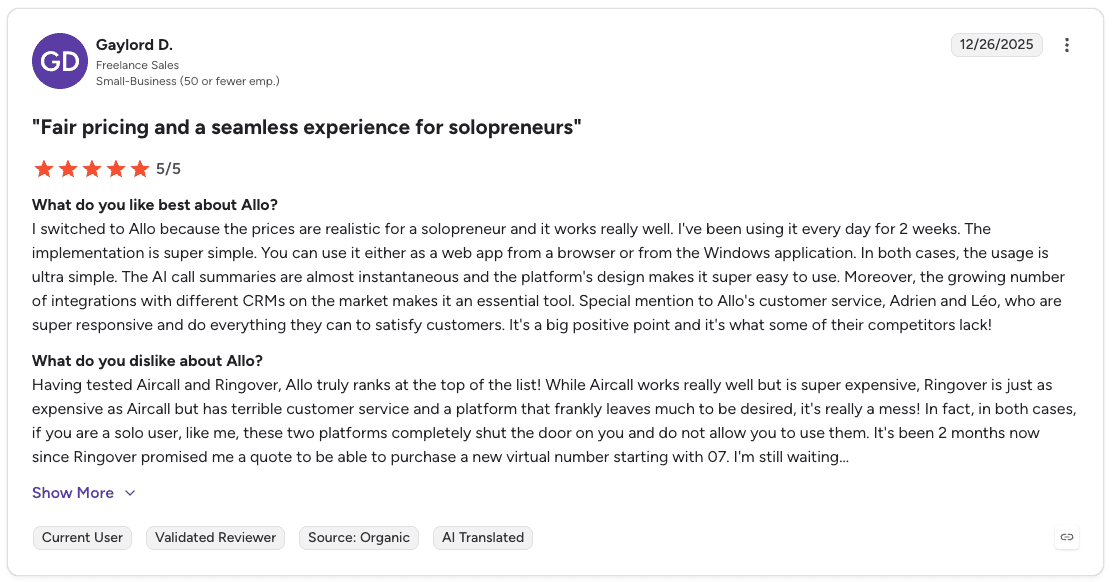
Pro: “The AI call summaries are almost instantaneous and the platform’s design makes it super easy to use.” — Gaylord D., G2 Review (Dec 26, 2025)
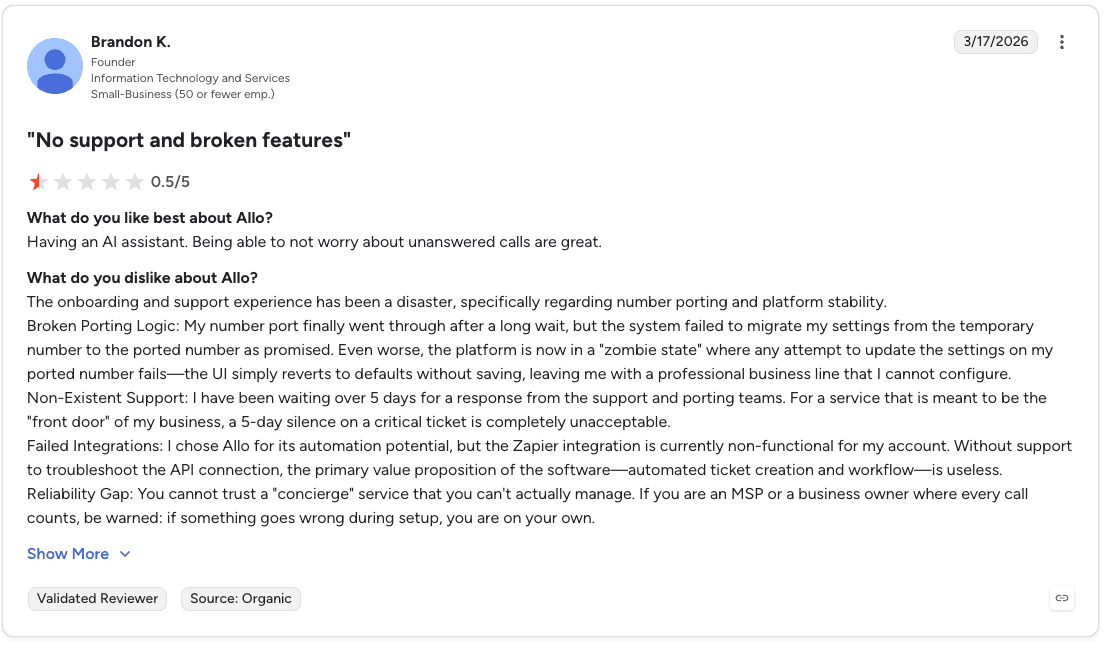
Con: “The onboarding and support experience has been a disaster, specifically regarding number porting and platform stability.” — Brandon K., G2 Review (Mar 17, 2026)
Pricing
Allo offers business phone plans starting at $18/month for individuals and $32/month per license for businesses (billed annually), with unlimited calling and a dedicated business number included.
Bottom line
Allo is the strongest option for small businesses that want a full phone system with AI answering at a price that doesn’t require a finance conversation. If you need complex workflow logic or a platform with years of enterprise track record, look elsewhere.
2. Smith.ai: best for businesses not ready to go fully AI

What it does: Smith.ai is the only platform on this list that pairs AI with live human receptionists, combining automated call handling with North American-based agents who take over when conversations need a real person.
Best for: Businesses that want 24/7 coverage but aren’t comfortable letting AI handle every call independently, especially where call quality and credibility matter to customers.
Most AI answering services are a binary choice: either the AI handles it or the caller waits for a human to become available. Smith.ai sits between those two options, and that middle ground is genuinely useful for certain businesses.
Human agents are based in the US, which matters for companies where caller trust depends on native-level communication. The AI handles routing and routine tasks. The moment a conversation needs nuance, judgment, or a tricky situation, a trained human agent picks it up.
Key features
Human and AI hybrid model: AI handles initial triage and routine calls. Human agents take over for conversations that require judgment, empathy, or complexity the AI can’t handle cleanly.
Outbound calling by human agents: Smith.ai agents can place outbound calls on your behalf, which no purely AI-driven tool on this list offers.
Native integrations: Connects with HubSpot, Salesforce, Calendly, Zapier, and Make for workflow automation after each call.
Pros and cons
✅ Pros | ❌ Cons |
Captures leads 24/7, including late nights and weekends when most businesses go dark | Chat agents struggle with technical questions outside standard scripts |
Receptionists interact in real time the same way they would on a live phone call | Some chatbot responses miss the point of the caller’s actual question |
Converts more leads by meeting prospects where they are, not just on the phone |
What users say

Pro: “Smith is solid for intake.” — Reddit user Sensitive_Theme_6926 (July 30, 2025)
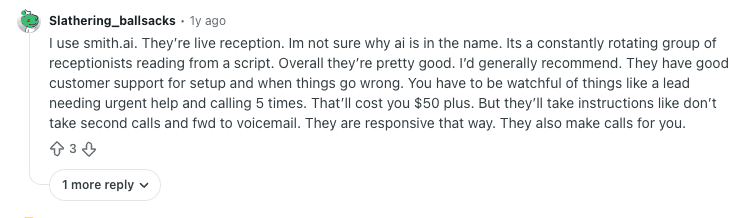
Con: “You have to be watchful of things like lead needing urgent help and calling 5 times.” — Reddit user Slathering_ballsacks (July 13, 2025)
Pricing
Smith.ai’s self-service plans start at $95/month billed monthly, with per-call rates from $1.60 to $1.90 depending on volume. Managed annual plans start at $500/month and include setup, custom integrations, dedicated support, and no overage charges.
Bottom line
Smith.ai is the right call for businesses that want coverage without fully trusting AI to handle every conversation. The premium price is the tradeoff for having a human in the loop. If budget is a constraint, every other option on this list will cost significantly less.
3. Rosie AI: best overall AI answering service for small businesses
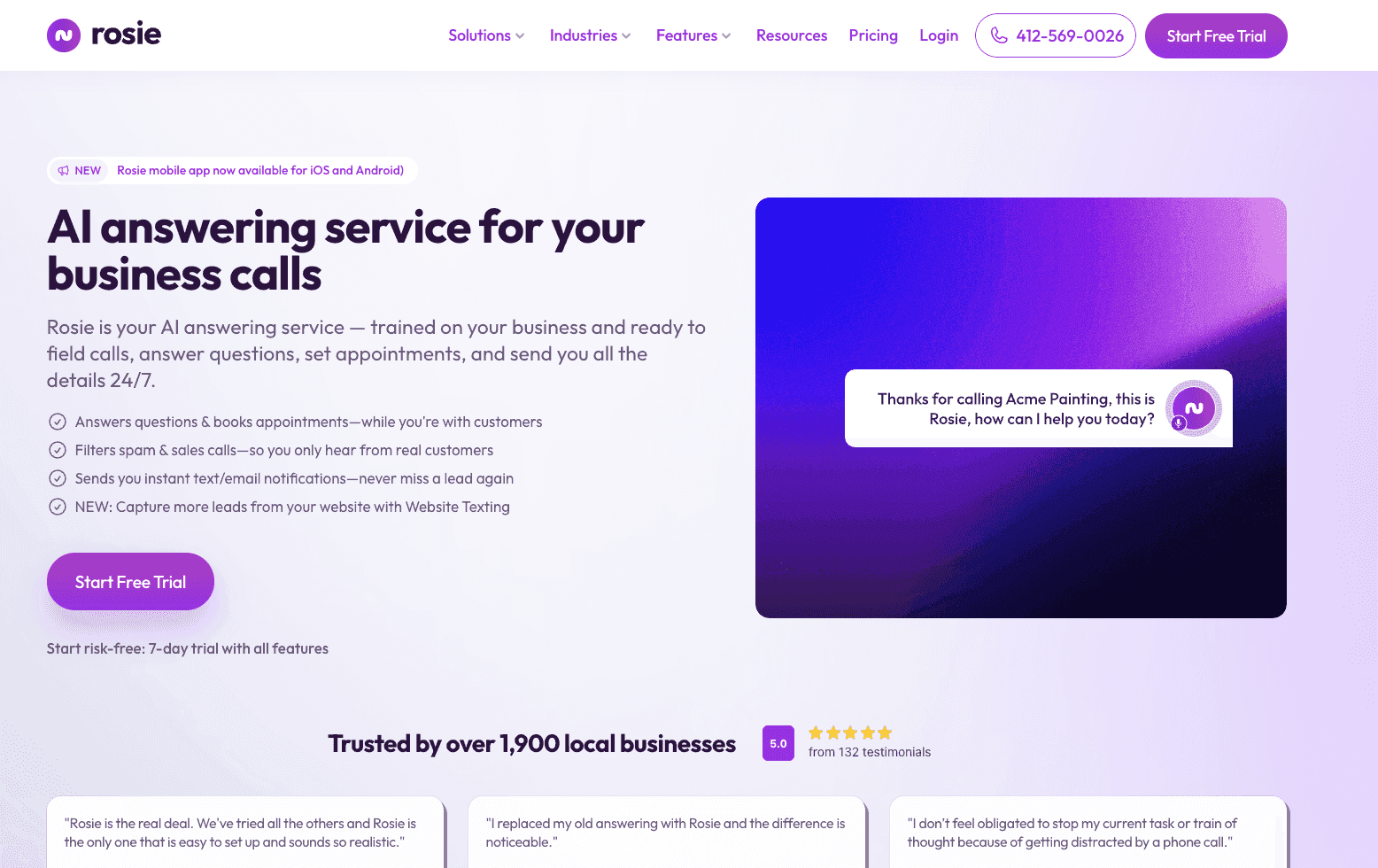
What it does: Rosie AI is a small-business-focused answering service that handles inbound calls, takes messages, captures leads, books appointments, and sends instant notifications when priority calls come in, across voice, text, and chat from one dashboard.
Best for: Small businesses that miss too many calls but can’t justify a full-time receptionist, particularly in home services, professional services, and local retail.
Rosie was the strongest performer across most of our testing scenarios. Setup was fast, the voice quality in blind testing consistently fooled people, and the automatic tier upgrade when you hit your minute limit means calls keep getting answered without any manual intervention.
What stood out most was how well Rosie learned from existing business assets. Point it at your website and Google Business Profile and it starts pulling accurate answers from day one.
The one limitation worth knowing upfront: the base Professional plan doesn’t include appointment booking, call transfers, or text link replies. Those features are available on the Scale plan at $149/month.
Key features
Learns from your existing assets: Rosie scans your website and Google Business Profile to train the AI, plus lets you upload internal documents like pricing sheets on higher plans.
Multichannel coverage: Handles voice, text, and chat from a single dashboard, with instant SMS or email alerts when a high-priority call comes in.
Zapier integration: Connects to roughly any tool in your stack through Zapier’s library of 8,000+ apps.
Pros and cons
✅ Pros | ❌ Cons |
Tiered minute plans with automatic upgrades. Calls never drop mid-month when you hit your limit. | Appointment booking and call transfers require the $149/month plan |
Voice quality that consistently passes as human in live testing | Requires a separate phone system. Rosie doesn’t provide one. |
Bilingual English and Spanish support on the base plan |
What users say

Pro: “It takes the call, sounds human, and gets the info into our calendar.” — Reddit user gabewoodsx (August 29, 2025)

Con: “It only takes incoming calls, it can’t make calls for you.” — Reddit user aistronaut (November 12, 2025)
Pricing
Rosie offers AI answering plans starting at $41/month (billed annually), with annual subscriptions including 2 months free. Plans scale up to custom enterprise packages for businesses needing higher call volumes, advanced automation, and custom integrations.
Bottom line
Rosie AI is the strongest all-around pick for small businesses that need reliable call coverage without paying enterprise prices. The base plan covers the fundamentals. Upgrade to Scale if appointment booking is part of how your business runs.
4. Slang.ai: best for restaurants and hospitality businesses

What it does: Slang.ai is a voice AI platform built specifically for restaurants and hospitality operators, handling reservation requests, menu and location questions, and high-volume call bursts without human involvement.
Best for: Restaurants, bars, and hospitality venues that deal with call spikes during peak service hours and need reservations landing in their booking platform automatically.
Most AI answering tools are generalist platforms that restaurant owners adapt to their needs. Slang is built the other way around: it starts from how hospitality businesses actually handle calls and works outward from there.
The ability to handle multiple simultaneous calls matters more in this context than almost anywhere else. A Friday night dinner rush can generate a dozen calls in the same five-minute window. Slang handles them in parallel.
Reservations land in your booking system within seconds, and the AI voice is tuned to sound warm and conversational, the kind of tone that fits a restaurant rather than a call center.
Key features
Simultaneous call handling: Takes multiple incoming calls at the same time so no reservation request hits a busy signal during peak hours.
Direct booking platform integration: Reservations confirmed by the AI land in your POS or booking system automatically, with no manual entry needed.
Bilingual support on Premium: The $599/month Premium plan includes bilingual support for restaurants serving non-English-speaking customers.
Pros and cons
✅ Pros | ❌ Cons |
Built specifically for hospitality, not a generic tool with a restaurant template | Starting price of $399/location/month is high for independent operators |
Handles simultaneous calls during peak service without dropping any | Vertical-specific design limits usefulness outside hospitality |
Voice quality is warm and conversational, matching the tone of a real host |
What users say
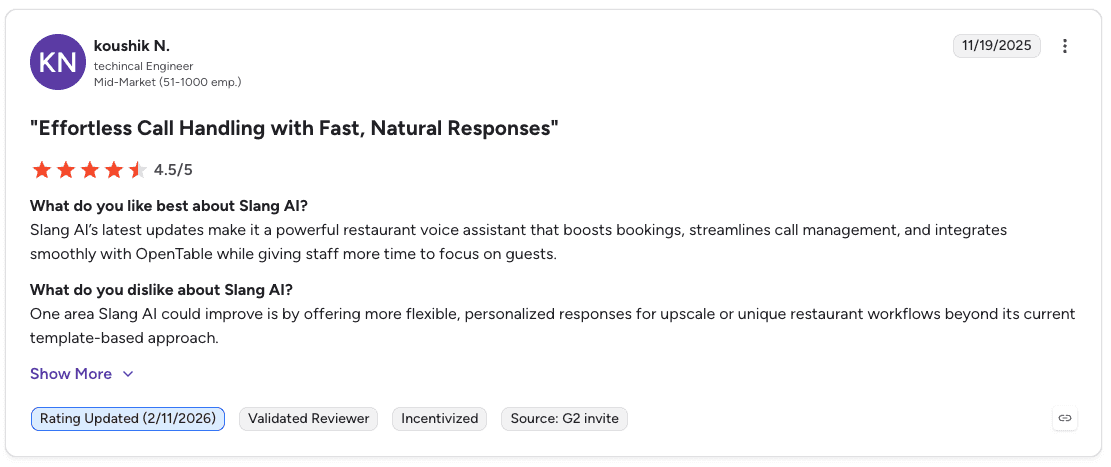
Pro: “Slang AI’s latest updates make it a powerful restaurant voice assistant that boosts bookings, streamlines call management, and integrates smoothly with OpenTable while giving staff more time to focus on guests.” — Koushik N., (Nov 19, 2025)
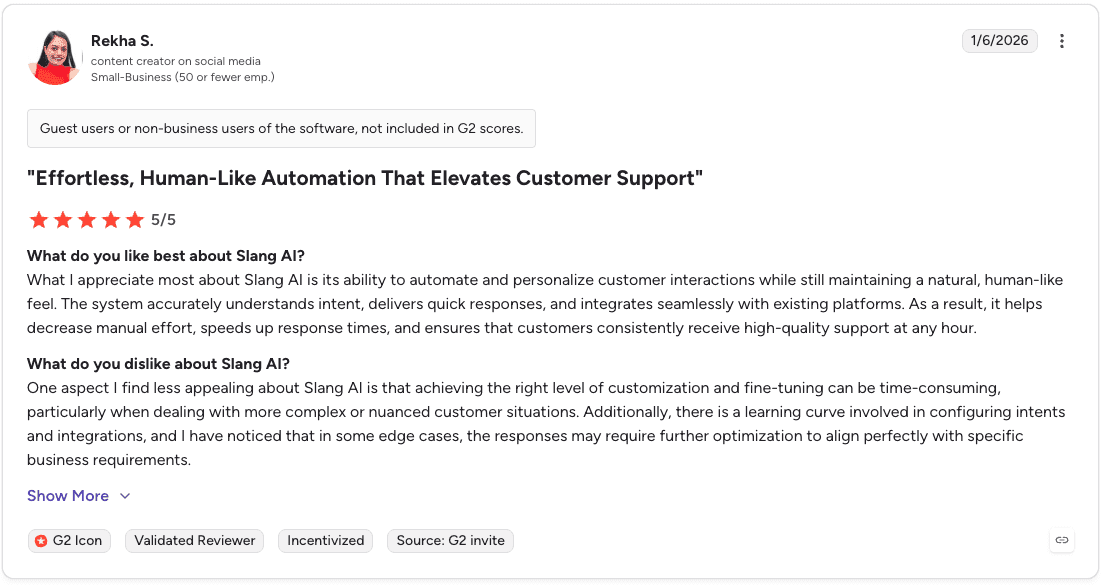
Con: “Achieving the right level of customization and fine-tuning can be time-consuming, particularly when dealing with more complex or nuanced customer situations.” — Rekha S., (Jan 6, 2026)
Pricing
Plans start at $399/month for Core and $599/month for Premium, with custom enterprise pricing available for larger, multi-location operations. Bilingual English and Spanish support is available as a separate add-on at $99/month.
Bottom line
Slang.ai earns its place for any restaurant or hospitality operator losing reservations to unanswered calls. The price is real, but so is the problem it solves. For businesses outside hospitality, every other tool on this list is a better fit.
5. Sona by Quo: best for teams already using Quo as their phone system
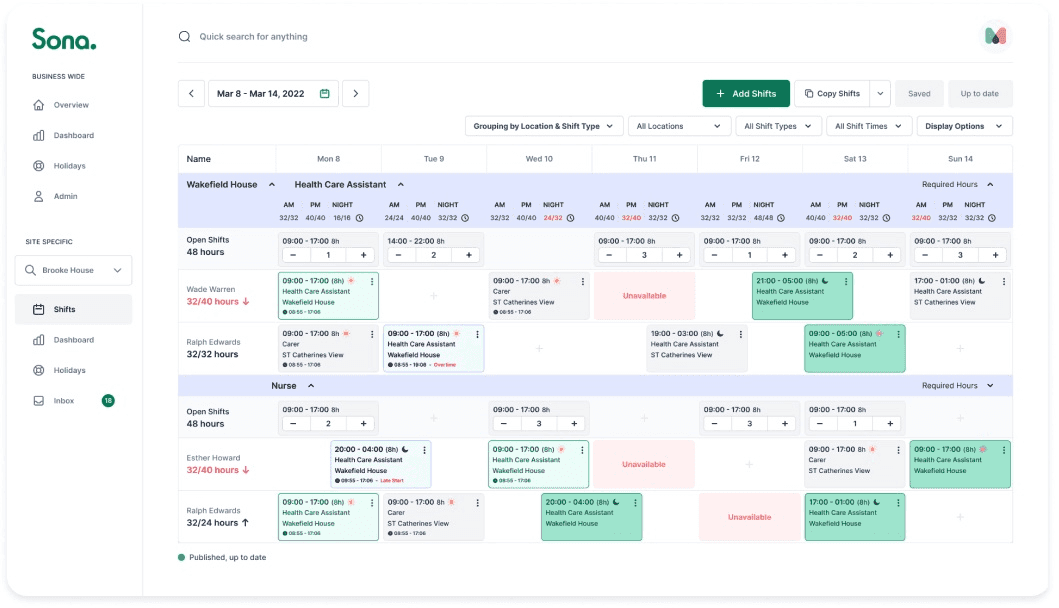
What it does: Sona is the built-in AI answering service inside Quo (formerly OpenPhone), offering customizable call workflows, automatic SMS during live calls, AI call summaries, and transcripts, all for businesses already on the Quo platform.
Best for: Teams running Sona as their primary phone system who want AI call handling layered on without switching platforms or managing a separate tool.
Sona only makes sense if you’re already a Quo subscriber. That’s not a knock. It’s just the reality of how it’s structured. If you are on Quo, the integration is genuinely clean. The AI sits inside the same platform where your team already manages calls, texts, and collaboration.
The automatic SMS feature during live calls is something most answering services don’t offer. While a caller is on the line, Sona can send links, forms, directions, or booking pages directly to their phone without the agent having to manually trigger anything.
Key features
Automatic SMS during calls: Sona sends links, forms, or directions to callers mid-conversation automatically, without any manual input from your team.
Customizable workflows: Define exactly what happens at each step of a call: when to transfer, when to send to voicemail, when to collect contact details.
AI summaries and transcripts: Every call gets a transcript and summary automatically, even if your Quo plan doesn’t include those features natively.
Pros and cons
✅ Pros | ❌ Cons |
Clean integration for existing Quo users. No separate platform to manage. | Requires an active Quo subscription. No Quo, no Sona. |
Automatic SMS mid-call is a genuinely useful feature most tools don’t offer | Pay-per-call model gets expensive at higher volumes |
Highly configurable operating hours, FAQs, team intros, and service details |
What users say
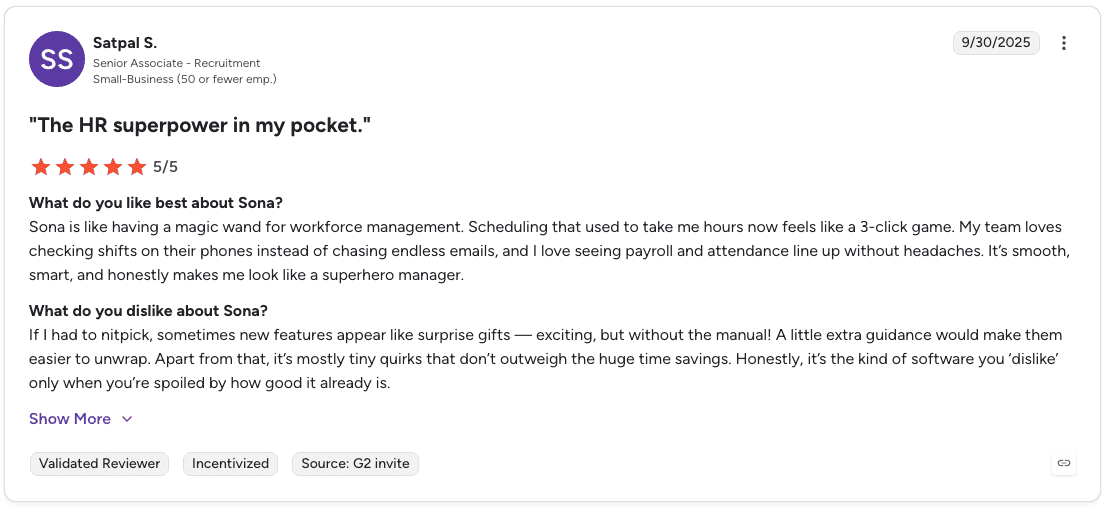
Pro: “Scheduling that used to take me hours now feels like a 3-click game.” — Satpal S., (Sep 30, 2025)

Con: “Some new product features have been released but not always communicated well.” — Lou L., (Jan 16, 2025)
Pricing
Sona starts free with roughly 10 calls per month at no cost. If you need more, paid plans begin at $25/month and scale based on usage, with lower per-call rates at higher tiers. You only pay for what you use, and you can cap spending to avoid unexpected charges.
Bottom line
Sona is the obvious choice for Quo users who want AI call handling without switching platforms. For anyone not already on Quo, the subscription requirement makes every other tool on this list a simpler path.
6. IsOn24: best for microbusinesses that need affordable call coverage
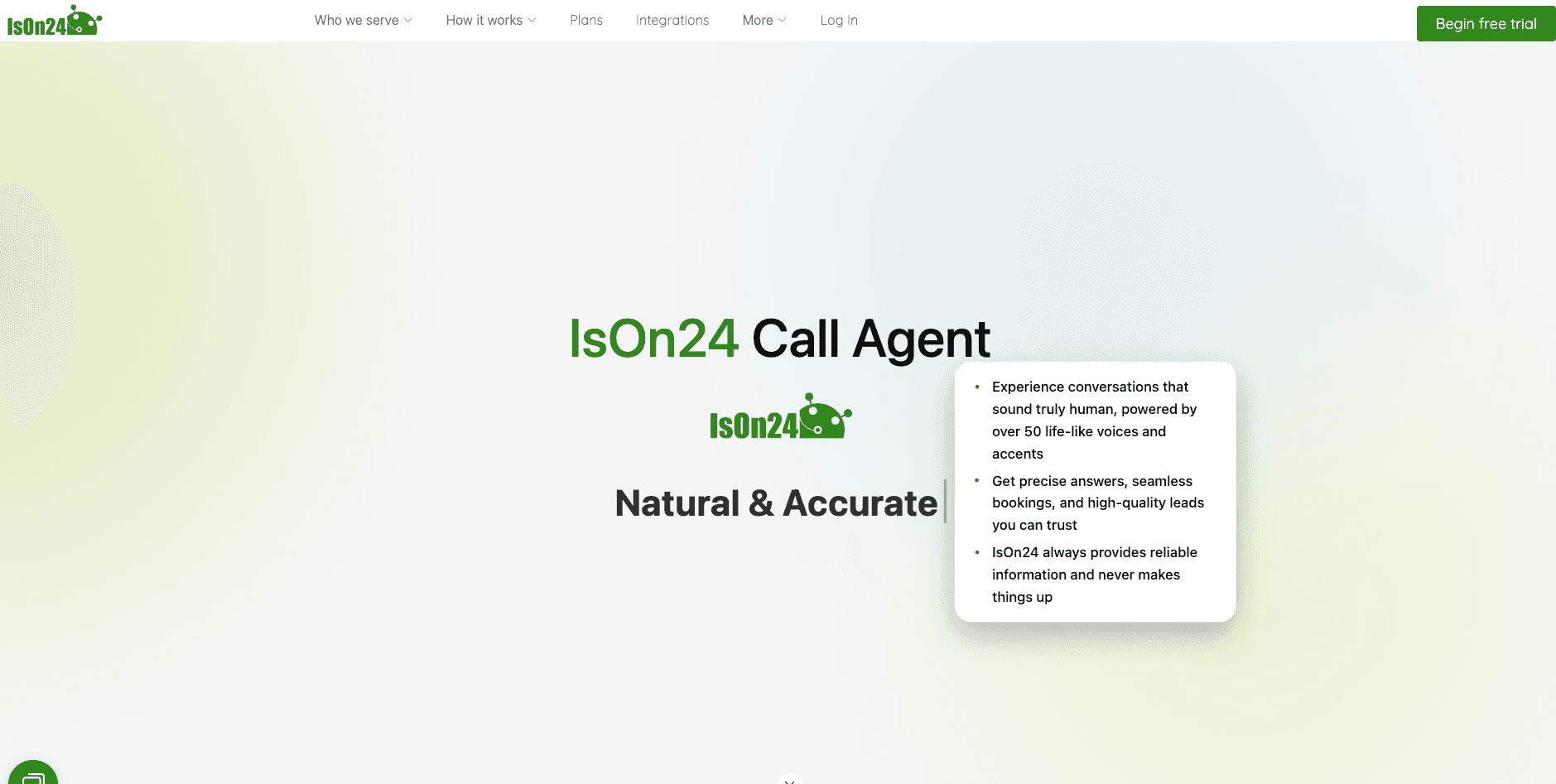
What it does: IsOn24 is one of the oldest AI answering services on this list, founded in 2014, offering call forwarding, SMS support, and multi-channel coverage at an affordable entry price of $49/month for 1,000 minutes.
Best for: Microbusinesses and solo operators in the US that need basic, affordable call handling and text messaging without paying for features they’ll never use.
IsOn24 has been around since 2014, which makes it one of the more established tools on this list, and one of the more dated.
The interface hasn’t kept pace with newer entrants, the voice quality reflects older TTS technology, and the product doesn’t appear to be under active heavy development.
None of that is disqualifying if what you actually need is modest: reliable call coverage, SMS support, and a price that doesn’t move around.
Key features
1,000 minutes at entry price: The Starter plan covers more call time at a lower price than most alternatives, making it practical for businesses with steady but moderate call volume.
SMS alongside voice: Sends texts with links during calls, useful for sending appointment booking pages or directions without the caller needing to write anything down.
Native integrations with Square, Jobber, and Zapier: Connects to the tools small service businesses already use, without requiring technical setup.
Pros and cons
✅ Pros | ❌ Cons |
Works across a wide range of small business verticals from restaurants to law firms to contractors | US and English only. No international coverage or multilingual support |
Native Square integration syncs phone bookings directly into Square Appointments with no manual entry | Interface feels dated compared to newer platforms on this list |
Connects to CRMs and calendars via Zapier, native integrations, and API for developers | Product update cadence appears slower than newer entrants in the category |
What users say

Pro: “ison24 is pretty solid: 24/7 availability, AI-powered customer interactions, call scheduling and message taking, and integrates with existing phone numbers.” — u/anyalarsa, r/ITProfessionals (July 16, 2024)
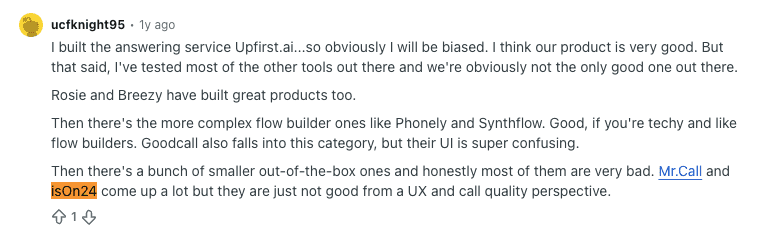
Con: “Mr.Call and Ison24 come up a lot but they are just not good from a UX and call quality perspective.” — u/ucfknight95, Reddit (July 03, 2025)
Pricing
IsOn24 pricing starts at $59/month for Starter, with higher tiers at $99/month, $149/month, and $199/month, scaling included minutes, texts, users, and automation features. Free trials are available on select plans.
Bottom line
IsOn24 makes sense for US-based microbusinesses that need basic call and text coverage at the lowest possible price. Anyone who needs multilingual support, a modern interface, or a platform under active development should look at Allo or Rosie AI instead.
7. Emitrr: best for appointment-heavy businesses and healthcare practices
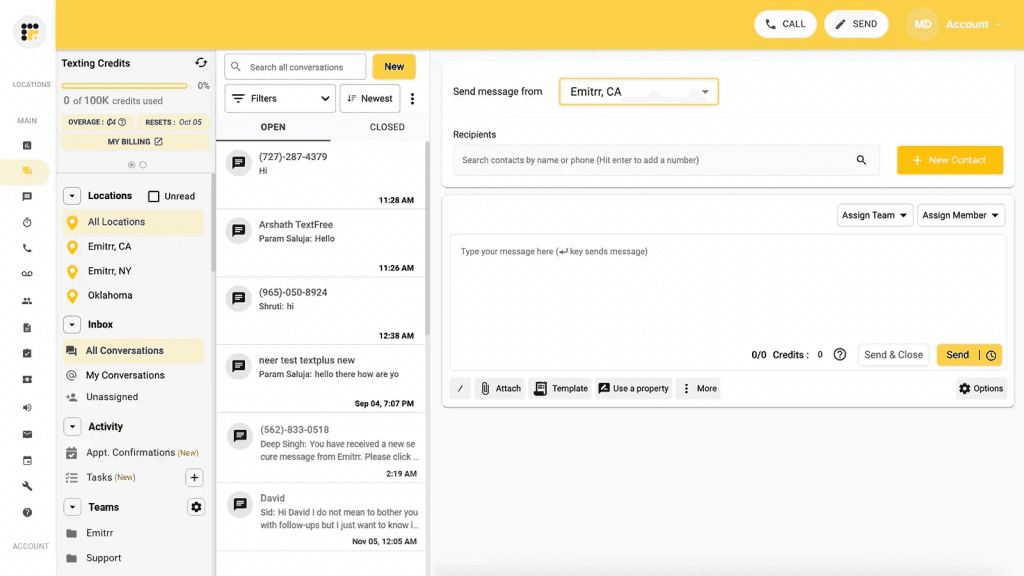
What it does: Emitrr is an AI answering service built specifically for service businesses where a missed call typically means a missed appointment, handling multiple inbound calls simultaneously and writing bookings directly into your existing scheduling software.
Best for: Healthcare practices, clinics, and appointment-driven service businesses that need HIPAA-compliant call handling with direct integration into their existing scheduling and CRM tools.
Most AI answering services treat every business the same. Emitrr starts from a specific problem: you run a business that lives on appointments, your phone rings constantly, and every unanswered call is a patient or client that didn’t get booked.
The simultaneous call handling means a busy morning at a dental clinic or physical therapy practice doesn’t generate a queue of missed calls. Multiple inbound lines are answered in parallel, and bookings land in your scheduling system automatically.
Key features
Direct EMR and CRM integration: Bookings write directly into your existing electronic medical records and CRM systems, removing the manual entry step that creates gaps between a confirmed call and an actual appointment on the calendar.
Automated appointment reminders: Emitrr sends reminders after a booking is confirmed, reducing no-shows without any additional work from your front desk.
HIPAA-compliant configurations: Patient data stays inside regulatory requirements, making it a deployable option for medical practices that can’t take on the compliance risk of a generalist tool.
Pros and cons
✅ Pros | ❌ Cons |
Direct EMR and CRM integrations remove manual booking entry entirely | Custom pricing only. No published tiers to evaluate before a sales conversation. |
HIPAA-compliant out of the box for healthcare and medical practices | Some advanced form-building workflows require workarounds. |
Simultaneous call handling prevents missed appointments during busy periods | Built primarily for appointment-heavy verticals. Less useful for general inbound call handling. |
What users say
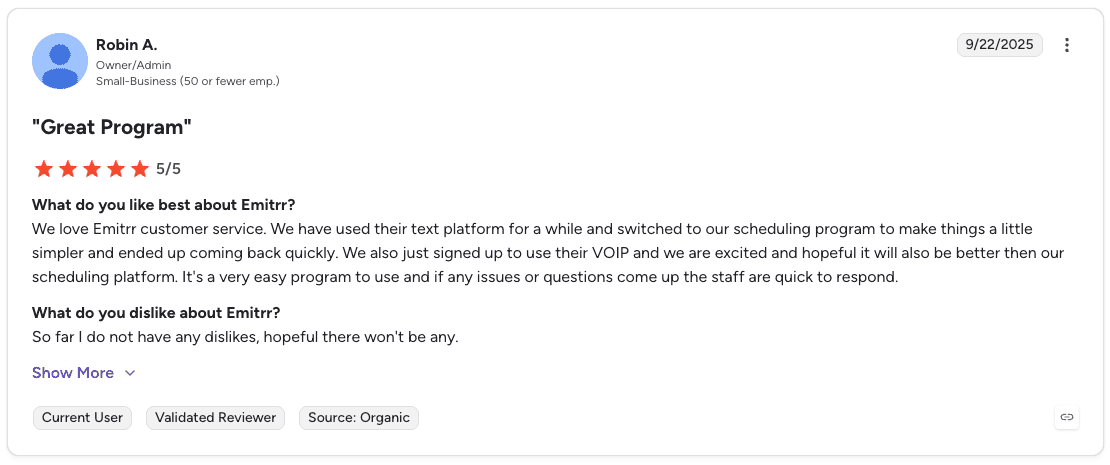
Pro: “It’s a very easy program to use and if any issues or questions come up the staff are quick to respond.” — Robin A., G2 Review (Sep 22, 2025)

Con: “There is no auto-response option for certain hours of the day.” — Jamie N., G2 Review (Mar 21, 2024)
Pricing
Emitrr uses custom pricing. Contact their sales team for a quote based on your call volume and integration requirements.
Bottom line
Emitrr is the right call for healthcare practices and appointment-driven service businesses that need HIPAA-compliant answering with direct scheduling integration. For businesses outside those verticals, Rosie AI or Allo will cover the same ground at a published price.
Which AI answering service should you choose?
The right pick depends on what your calls actually look like, not which platform has the longest feature list.
Choose Allo if you:
Need a full phone system with AI answering at a predictable monthly price.
Serve customers in English, French, or Spanish and want multilingual support without paying extra.
Choose Smith.ai if you:
Aren’t ready to hand 100% of call handling to AI and want human agents available for complex conversations.
Run a business where caller trust depends on speaking with a real, US-based person.
Choose Rosie AI if you:
Run a small business that can’t afford to miss calls and wants setup done in under an hour.
Want calls to keep getting answered even when you hit your monthly minute limit, without manually upgrading your plan.
Choose Slang.ai if you:
Operate a restaurant or hospitality venue that loses reservations to unanswered calls during peak hours.
Need simultaneous call handling during busy service periods.
Choose Sona by Quo if you:
Already use Quo as your phone system and want AI answering built into the same platform.
Want automatic SMS sent to callers mid-conversation without any manual setup.
Choose IsOn24 if you:
Run a US-based microbusiness and need the most affordable entry point on this list.
Need SMS alongside voice handling without paying for features you’ll never touch.
Choose Emitrr if you:
Run a healthcare practice or appointment-driven service business where missed calls mean missed bookings.
Need HIPAA-compliant call handling with direct integration into your existing scheduling or EMR system.
Skip AI answering services entirely if:
Your call volume is low enough that a forwarding number and voicemail covers it.
Most of your inbound calls require real-time judgment that no current AI handles well.
Final verdict
Rosie AI is the strongest starting point for most small businesses. Fast setup, automatic call coverage at any volume, and multichannel support make it the most practical option across the widest range of use cases.
For businesses that can’t fully trust AI on calls yet, Smith.ai. For restaurants, Slang.ai. For healthcare and appointment-heavy businesses, Emitrr.
The honest truth is that most businesses overthink this decision. Pick the tool that matches the calls you actually handle, run the free trial, and listen to what comes out the other side.
Answering more calls doesn’t automatically create more revenue
Most AI answering service buyers focus on missed calls, wait times, and lead capture. Those problems matter, but they’re only the beginning.
The bigger question is whether your team consistently converts the opportunities your answering service creates.
Alpharun helps managers understand what drives successful conversations and turn those insights into repeatable coaching across the entire team.
Custom playbooks built from real calls: Conversational intelligence software analyze thousands of calls to identify the behaviors, talk tracks, and objection-handling patterns linked to stronger outcomes.
Sentence-level post-call coaching: Deliver immediate feedback after each call, highlighting specific moments reps can improve on their next conversation.
100% call scoring: Evaluate every interaction against sales and compliance criteria, giving managers a complete view of team performance.
Rep performance insights: Surface coaching opportunities, performance trends, and skill gaps automatically across reps and teams.
Compliance monitoring: Track required disclosures, qualification steps, and other compliance requirements as part of the QA process.
Book a demo to see how top-performing teams turn more answered calls into closed business.
Frequently asked questions
What is the best AI answering service for small businesses?
Rosie AI is one of the strongest AI answering services for small businesses because it combines fast setup, simple pricing, and reliable call handling. Businesses that need a full phone system may prefer Allo, while those wanting human backup should consider Smith.ai.
What is an AI answering service?
An AI answering service uses artificial intelligence to answer inbound calls, respond to common questions, capture lead information, schedule appointments, and route callers. It works as a virtual receptionist available 24/7.
How much does an AI answering service cost?
AI answering service pricing ranges from around $25 to $50 per month for entry-level plans to several hundred dollars per month for advanced or industry-specific solutions. Enterprise platforms typically use custom pricing.
Can an AI answering service replace a human receptionist?
Yes, for routine tasks such as appointment scheduling, lead capture, message taking, and answering common questions. More complex situations that require empathy or nuanced problem-solving may still benefit from human support.
How long does it take to set up an AI answering service?
Most AI answering services can be configured in a few hours or less. More complex deployments that require CRM, EMR, or custom workflow integrations may take several days.


