

Call volume is rising, prospects expect faster responses, and reps need better tools to keep up. Understanding what call center software is helps explain how it brings every part of a sales call operation into one system and determines how well your team turns calls into customers.
What is call center software?
Call center software is a platform that manages inbound and outbound sales calls, automates call routing, and centralizes rep performance data in one system.
It handles the infrastructure that sales teams need to handle high call volumes, connect prospects to the right reps, and track what's happening across the floor.
How call center software works
To understand what call center software is, it helps to break down how it works in practice:
A prospect calls in or an outbound campaign dials a lead.
The system routes the call using Interactive Voice Response (IVR) or Automatic Call Distribution (ACD) to match the prospect with the right rep based on skills, availability, or campaign rules.
The rep sees prospect data pulled from the integrated CRM, giving them context before the conversation starts.
The call gets logged and recorded automatically, so managers can review performance and reps can reference past interactions.
Analytics capture outcomes across every call, giving managers visibility into conversion trends, rep performance, and call quality.
Each step happens in real time, which is why the right call center software makes a measurable difference on a high-volume sales floor.
Types of call center software
Understanding the different types of call center software makes it easier to choose the right system. Each type is designed for a specific way of handling calls and supporting your team.
📂 Type | 💡 What it does | 🎯 Best for | ⭐ Key benefit |
Inbound Call Center Software | Handles incoming calls from interested prospects and routes them to the right rep | Teams managing enrollment, support, or quote inquiries | Faster response times and better routing accuracy |
Outbound Call Center Software | Runs calling campaigns where reps reach out to leads using dialers and automation | High-volume sales teams doing cold calls or follow-ups | More conversations with less manual dialing |
Blended Call Center Software | Combines inbound and outbound calls in one system | Teams managing both incoming demand and outbound campaigns | Keeps reps productive across changing call volume |
Automated & AI-Powered Call Centers | Adds AI features like transcription, scoring, and real-time guidance | Teams focused on performance improvement and coaching | Faster feedback and smarter call handling |
1. Inbound call center software
Inbound call center software manages calls coming in from prospects who are already interested. For Medicare and insurance sales teams, this means handling enrollment inquiries, quote requests, and plan-comparison calls from leads who reach out first.
The system routes each call to the right rep, captures the prospect's information, and gives the rep context before the conversation begins. Routing accuracy matters here because a prospect who reaches the wrong rep, or waits too long, is a prospect who may not call back.
In practice, a prospect calling about a Medicare Advantage plan should be routed directly to a licensed agent who can answer eligibility and pricing questions without delays.
2. Outbound call center software
Outbound call center software runs campaigns where reps initiate calls to leads. Predictive dialers, automated call pacing, and campaign management tools are the core features in this category.
For high-volume sales teams running outbound Medicare or insurance campaigns, predictive dialing handles call volume without requiring reps to dial each lead manually. The system manages pacing so reps spend more time in conversations and less time waiting between calls.
This often looks like a team working through a large lead list while the system automatically filters out busy signals, voicemails, and unanswered calls.
3. Blended call center software
Blended call center software handles both inbound and outbound calls on a single platform. Reps can move between handling incoming prospect calls and working outbound campaigns based on call volume and team capacity.
This is the most common setup for sales floors that manage multiple channels and campaign types at the same time. It helps teams stay productive without leaving reps idle during slow inbound periods.
A common setup is for reps to take inbound calls during peak hours, then switch to outbound follow-ups or lead nurturing when volume drops.
4. Automated and AI-powered call centers
AI-powered call center software adds intelligence on top of the core infrastructure. This includes real-time call transcription, automated scoring, prospect sentiment detection, and rep guidance during live calls.
For sales teams, the practical impact is faster feedback loops and better coaching. Rather than waiting for a manager to review a call recording, reps get performance data tied to specific moments in their conversations.
During a live call, if a prospect hesitates on pricing, the system can detect that moment and prompt the rep with guidance on how to respond more effectively.
How call center software is deployed: Cloud vs. on-premise
Once you know what type of call center software you need, the next step is understanding how it runs. Deployment matters because it directly affects your infrastructure, costs, and how easily your system adapts as your team grows.
⭐ Feature | 🌐 Cloud | 🖥️ On-Premise |
Upfront cost | Low, subscription-based | High, hardware and licensing |
Maintenance | Managed by the vendor | Managed in-house by IT |
Flexibility | High, scales with team size | Low, tied to installed capacity |
Setup time | Fast, often days to weeks | Slow, can take months |
Remote access | Built in | Requires additional configuration |
Updates | Automatic | Manual, scheduled by IT |
Most high-volume sales teams now run on cloud-based platforms because the subscription model scales with headcount and vendors handle maintenance.
On-premise setups still appear in organizations with strict data residency requirements or existing infrastructure investments, but they're increasingly rare for sales-focused operations.
Key features to look for in call center software
To understand what call center software is in practice, focus on how calls are routed, how reps get context, and how performance is tracked.
These capabilities shape how efficiently your team handles and converts conversations:
1. Automatic Call Distribution (ACD)
Routes incoming calls to the right rep based on skills, availability, or campaign assignments. On sales floors, routing accuracy directly determines whether a qualified lead reaches a rep who can close it.
In fact, HubSpot reports that 90% of customers rate an “immediate” response as important or very important when they have a customer service question, making fast and accurate routing critical. makes fast and accurate routing critical.
2. Interactive Voice Response (IVR)
The menu system prospects hear before reaching a rep. A well-configured IVR qualifies the caller and routes them to the right team without adding hold time.
Zendesk reports that 67% of customers prefer self-service, which makes IVR an important first step in helping callers navigate without unnecessary delays.
3. CRM integration
Pulls prospect and lead data into the rep's view during the call. Reps who can see a prospect's history, plan preferences, or previous interactions close more efficiently than those starting from scratch. Salesforce reports this kind of visibility can help increase sales by up to 29%.
4. Call recording and monitoring
Captures every call for QA review, compliance documentation, and coaching. On regulated sales floors handling Medicare or insurance, call recording is a compliance requirement as much as a performance tool.
5. Analytics and reporting
Surfaces conversion trends, rep performance data, and call quality metrics across the floor. The most useful analytics connect outcomes to rep behavior rather than just tracking volume. See which contact center analytics metrics matter most for sales floors.
6. Omnichannel support
Allows reps to handle voice alongside SMS or digital channels from a single interface. For sales teams primarily focused on phone-based selling, voice quality and dialer performance matter more than omnichannel breadth.
5 major benefits of call center software
Call center software improves how calls are handled, how reps perform, and how results are tracked. These benefits show up quickly once you understand what call center software is and how it supports high-volume sales floors.
Faster path to the right rep: Prospects who reach the right rep on the first attempt convert at higher rates. Routing and ACD features make that match more reliable across a high-volume floor.
Better rep productivity: Automated dialing, CRM integration, and call logging remove the manual steps between conversations so reps spend more time selling.
Improved conversion rates: When reps have prospect context before the call starts and managers have visibility into what's driving outcomes, the floor improves faster.
Scalable operations: Cloud-based platforms adjust to team size without hardware investments. Adding 20 reps during the Annual Enrollment Period doesn't require a new infrastructure project.
Revenue-driving analytics: Call data tied to outcomes shows managers which behaviors and call flows drive more closed deals, making it more useful than volume metrics alone.
Over time, this changes how the floor runs. Calls move faster, reps stay focused, and managers have a clearer view of what’s working.
Call center vs contact center: What's the difference?
These terms get used the same way, but they are not the same thing. The difference comes down to how your team communicates with prospects.
⭐ Feature | 📞 Call center | 💬 Contact center |
Primary channel | Phone calls only | Multiple channels (voice, chat, email, SMS, social) |
Use case | High-volume calling and closing | Multi-channel engagement and support |
Complexity | Lower | Higher |
Setup | Focused and straightforward | Broader, more integrated |
Best for | Sales teams that close over the phone | Teams managing full customer journeys across channels |
A call center focuses on phone calls. It handles inbound and outbound conversations through a dialing system, which most high-volume B2C sales teams rely on to close deals.
A contact center goes beyond calls. It includes channels like chat, email, SMS, and social media, all managed in one platform. This setup works better for teams that engage prospects across multiple touchpoints before closing.
If your operation is built around calls, a call center system keeps things simple and focused. If your team needs to meet prospects across different channels, a contact center setup starts to make more sense.
How to choose the right call center software
Choosing the right call center software is less about picking the “best” platform and more about finding what fits how your team actually works.
The details below are what usually make or break that decision:
1. Business size and use case
A 15-rep outbound insurance team and a 150-rep Medicare brokerage have different infrastructure requirements.
Smaller teams can often start with a mid-tier cloud platform. Larger operations with blended inbound and outbound campaigns need more sophisticated routing logic and deeper analytics.
Identify your primary call type first: inbound, outbound, or blended. Then evaluate platforms built for that model rather than platforms that technically support it as a secondary feature.
2. Deployment type
Cloud-based platforms are the standard choice for most sales teams today. They're faster to set up, cheaper to maintain, and scale without hardware investment.
On-premise setups make sense if your organization has existing infrastructure, strict data residency requirements, or IT resources dedicated to platform management.
For most high-volume sales floors, the flexibility and speed of cloud deployment outweigh the control advantages of on-premise.
3. Required features
Start with the features that directly impact revenue: dialer quality, routing accuracy, CRM integration, and call recording. Evaluate those before considering features that add complexity without a clear sales impact.
For regulated industries like Medicare and insurance, compliance features such as call recording, script monitoring, and audit trails are standard requirements.
4. Integration needs
The most valuable call center software connects cleanly with your CRM and any performance tools your team already uses. Platforms like Five9 and Genesys integrate with major CRM systems and support additional coaching layers that analyze call data.
Integration depth matters more than the number of integrations listed on a vendor's website. Confirm that the platforms your team relies on are supported before committing.
5. Budget and scalability
Cloud pricing is per seat and per month, which makes budgeting predictable. Factor in the cost of tiers that include the features you actually need, since entry-level pricing often excludes analytics and compliance tools.
Plan for growth. A platform that works for 30 reps today should handle 80 reps during peak periods without requiring a platform change.
Mistakes to avoid when selecting call center software
Understanding what call center software is helps, but choosing the wrong platform usually comes down to a few common mistakes.
These are the ones that slow teams down or create issues down the line:
Choosing based on price alone: Entry-level platforms often exclude the routing, analytics, and compliance features that matter most on a sales floor. The cheapest option frequently costs more in lost productivity and missed compliance requirements than the difference in subscription cost.
Ignoring scalability: A platform that caps out at your current team size creates a migration project at the worst possible time, typically during peak enrollment periods when the team is already stretched.
Overlooking integration quality: A CRM integration that requires manual data syncing between calls is worse than no integration at all. Confirm that integrations work in real time before signing a contract.
Underweighting rep experience: Reps who find a platform slow, unintuitive, or frustrating spend mental energy on the tool rather than the conversation. Agent experience directly affects call quality and conversion rates.
Best call center software use cases
Different teams use call center software in different ways. The right setup depends on how calls come in, how reps work them, and what the team is trying to optimize.
High-volume Medicare and insurance sales
Teams handling hundreds of inbound enrollment calls each day need consistent routing, fast access to prospect data, and built-in compliance tracking. Features like ACD, CRM integration, and call recording are essential to keep calls moving and meet regulatory requirements.
During peak periods like AEP, call volume spikes fast. Without accurate routing and immediate access to plan details, reps end up spending the first part of the call catching up instead of closing. The right system removes that delay.
Outbound insurance and home services campaigns
Outbound teams rely on volume and timing. Predictive dialing, call pacing, and campaign management tools help reps spend more time talking and less time dialing or waiting between calls.
On most outbound floors, the time between conversations is where productivity drops. A dialer that handles pacing and filters out dead calls keeps reps moving from one live conversation to the next without breaking rhythm.
Blended sales floors
Teams that handle both inbound and outbound calls need flexibility. Blended platforms let reps switch between taking incoming calls and working outbound leads without changing systems or losing visibility into performance.
In reality, call volume rarely stays consistent. When inbound slows, reps need to move into outbound work without losing momentum. A blended setup keeps that transition smooth, rather than forcing teams to juggle tools.
Remote and distributed sales teams
Cloud-based platforms make it possible to run a sales floor without a physical office. Reps log in through a browser, access the same dialer and CRM tools, and managers still get full visibility into activity and performance.
With teams spread across locations, consistency becomes the challenge. A centralized platform keeps workflows, reporting, and call handling aligned even when reps are not in the same room.
Turning call data into performance
So what is call center software and why does it matter?
Getting the right call center software in place fixes the infrastructure. Calls are routed correctly, reps have context, and managers can see what’s happening across the floor.
But once it’s running, a new problem shows up. You can see the activity, but not why some calls convert and others don’t.
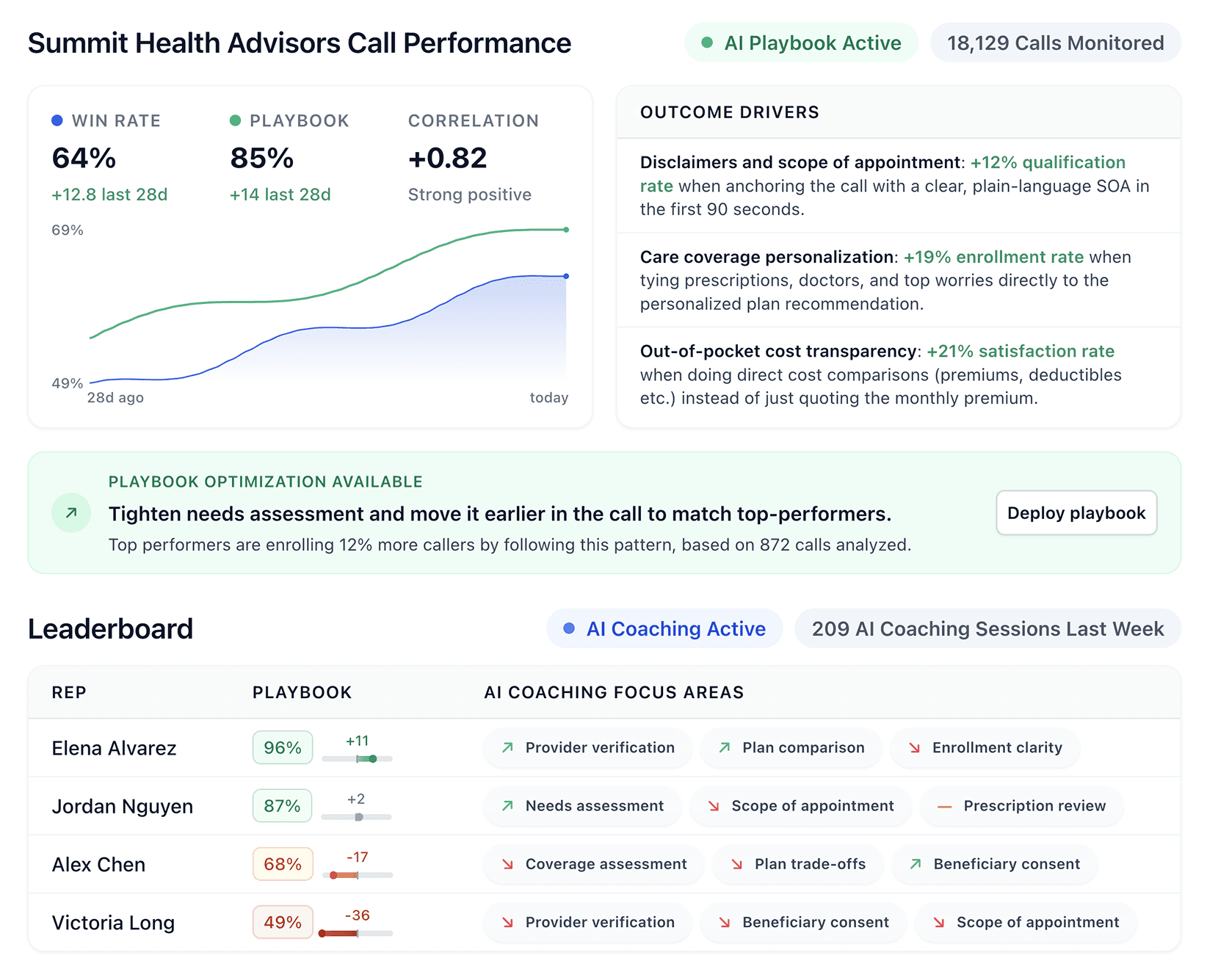
Alpharun sits on top of your existing system and turns raw call data into clear signals your team can actually use. Instead of listening to recordings one by one or relying on guesswork, you start to see patterns in how your best calls are handled and where others break down.
With Alpharun, teams can:
Build custom playbooks from top-performing calls to improve win rates
Coach reps in real time with sentence-level feedback
Send targeted coaching notes and weekly performance rollups
Learn from top performers to improve conversion rates across the team
Automate scheduling and qualification with AI voice agents
When your system handles the calls and your team understands what drives outcomes, improvements stop being random. You start to see consistent gains across the floor, not just from your top performers, but from everyone.
Book a demo with Alpharun to see how your call center software can go beyond tracking calls and actually improve how your team sells.
Frequently asked questions
What is call center software used for?
Call center software is used to manage inbound and outbound calls, route prospects to the right reps, integrate with CRM systems, record calls, and track performance. For high-volume sales teams, it acts as the system that keeps call flow, rep activity, and results organized in one place.
What features matter most in call center software for sales teams?
The most important features in call center software for sales teams are call routing (ACD), CRM integration, call recording, and analytics. Outbound teams also rely on dialer performance, while regulated industries require built-in compliance features.
Is call center software the same as contact center software?
No, call center software focuses on voice calls, while contact center software includes additional channels like chat, email, and SMS. The main difference is that contact centers support multi-channel communication, while call centers focus on phone-based interactions.
How does call center software improve sales performance?
Call center software improves sales performance by routing calls faster, giving reps real-time customer context, and tracking what drives conversions. This helps teams handle more calls efficiently and improve outcomes over time.