We tested 7 inside sales call center platforms on routing, AI tools, pricing, and ease of use. Here's what works for high-volume B2C sales teams.

Most call center software promises the world but buries the features your reps need behind paywalls and steep learning curves.
These seven inside sales call center software were put through real inside sales workflows, so you know exactly what you’re getting before you buy.
7 best inside sales call center software: quick comparison
💻 Tool | ⚡ Key strengths | 🎯 Best for | 💰 Starting price |
Gong | Call analytics, deal intelligence, AI summaries | B2B revenue teams tracking complex multi-touch deals | Custom |
Five9 | IVAs, AI agent support, workforce management | Large teams needing advanced automation and QA | $119/user/month (with an annual commitment) |
Genesys | Omnichannel routing, journey management, quality tools | Large-scale voice or omnichannel operations | Starting at $75/user/month (billed annually) |
Nextiva | Built-in CRM, auto dialers, all-in-one omnichannel | Teams wanting every channel in one platform | Starting at $75/agent/month (billed annually) |
RingCentral | UCaaS + CCaaS integration, competitive base pricing | Teams already on the RingCentral ecosystem | Starting at $65/agent/month (billed annually) |
8x8 | Internal video collaboration, mix-and-match plans | Teams needing built-in video meetings alongside calling | Custom |
Aircall | Ease of use, power dialer, low cost | Leaner teams needing a clean, affordable setup | Starting at $30/user/month (billed annually) |
How we tested these call center platforms
We used each platform the way a real sales team would. That meant logging in, taking calls, setting up routing, and checking performance data. We then looked at what real users say in reviews on G2.
This gave us a clear view of how each tool works during a full sales day.
Here’s what went into each review:
Features: How well each platform handles the core tasks of a high-volume sales team.
Usability: Whether agents can get up and running fast with minimal training.
Integrations: How cleanly each platform connects to dialers, CRMs, and QA tools.
Pricing: What you get for the cost across every available tier.
Manager tools: How much visibility supervisors have into rep performance and call quality.
This hands-on approach helped separate the platforms that hold up in daily call center use from those that just look good on a feature checklist.
1. Gong: best for B2B revenue teams tracking complex deals
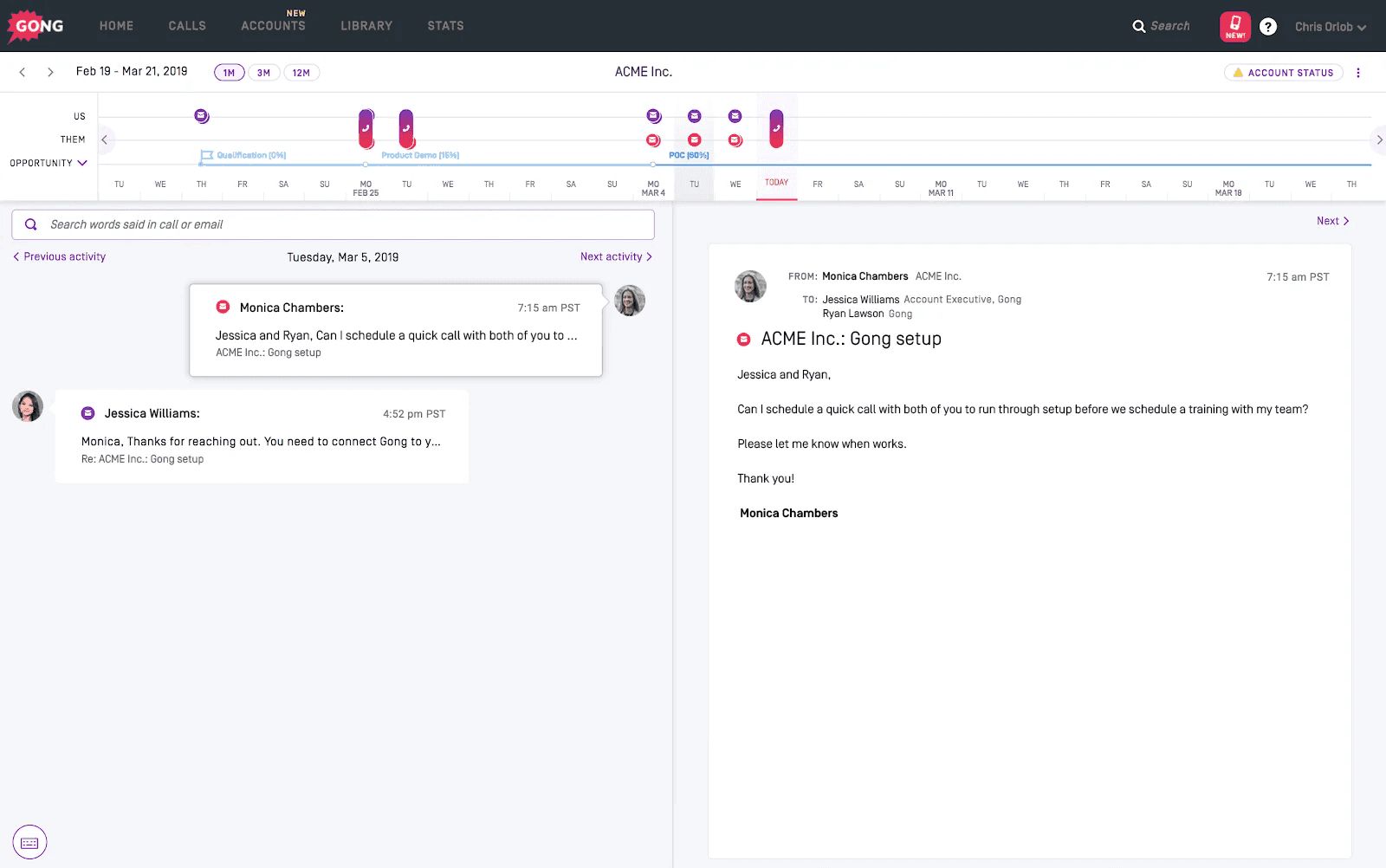
What it does: Gong records, transcribes, and analyzes sales calls to surface deal intelligence, rep coaching moments, and pipeline risk signals.
Best for: B2B sales teams managing longer deal cycles, multi-touch outreach, and pipeline analytics across multiple stakeholders.
Gong is a strong platform for conversation intelligence. It captures every call, surfaces deal risks, and gives managers a clear view of what’s being said across all their reps’ conversations.
That said, Gong wasn’t built for high-volume B2C call centers. It works best when teams have mature RevOps functions, complex pipeline-tracking needs, and deals that span weeks or months.
Teams running hundreds of short consumer calls per day on dialer platforms like Five9 or Genesys may find that Gong’s analytics layer doesn’t match their workflow.
Key features
Call recording and transcription: Logs every call and generates searchable transcripts with AI-generated summaries.
Deal intelligence: Tracks engagement signals, risk indicators, and topic trends across all active deals.
Rep coaching tools: Highlights specific call moments managers can review and use for coaching.
CRM integrations: Syncs with Salesforce, HubSpot, and other major B2B sales platforms.
Pros and cons
✅ Pros | ❌ Cons |
Deep analytics across every recorded conversation. | Not designed for high-volume B2C call centers running hundreds of short calls per day. |
Manager dashboards show rep performance across all deals. | Pricing is custom and not published; expect a significant per-seat investment. |
Strong integrations with established B2B sales tech stacks. | Coaching is manager-driven rather than automated, which limits scale. |
What users say
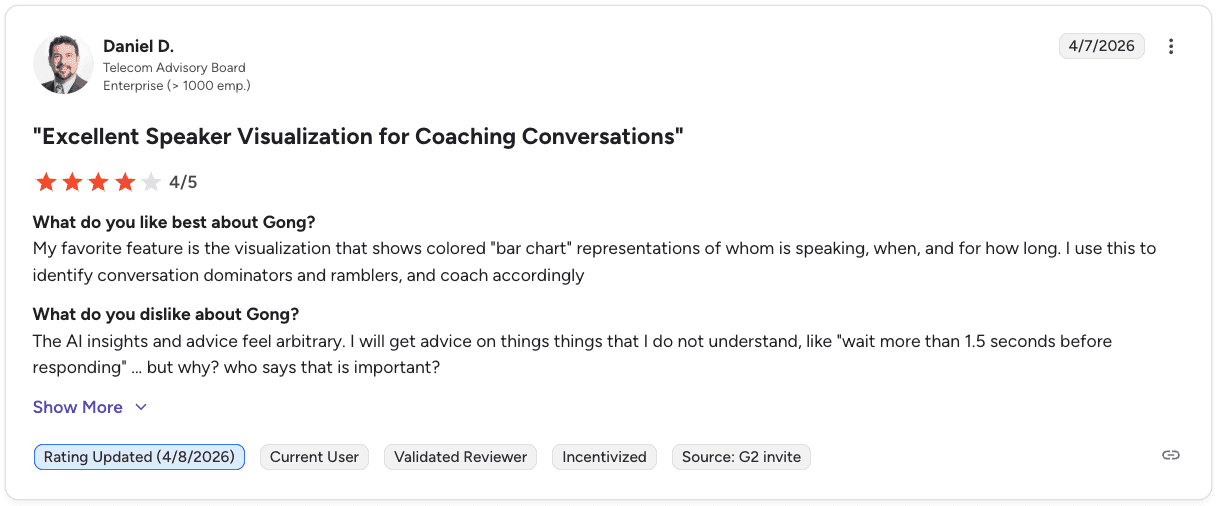
Pro: “My favorite feature is the visualization that shows colored bar chart representations of who is speaking, when, and for how long.” — Daniel D., G2
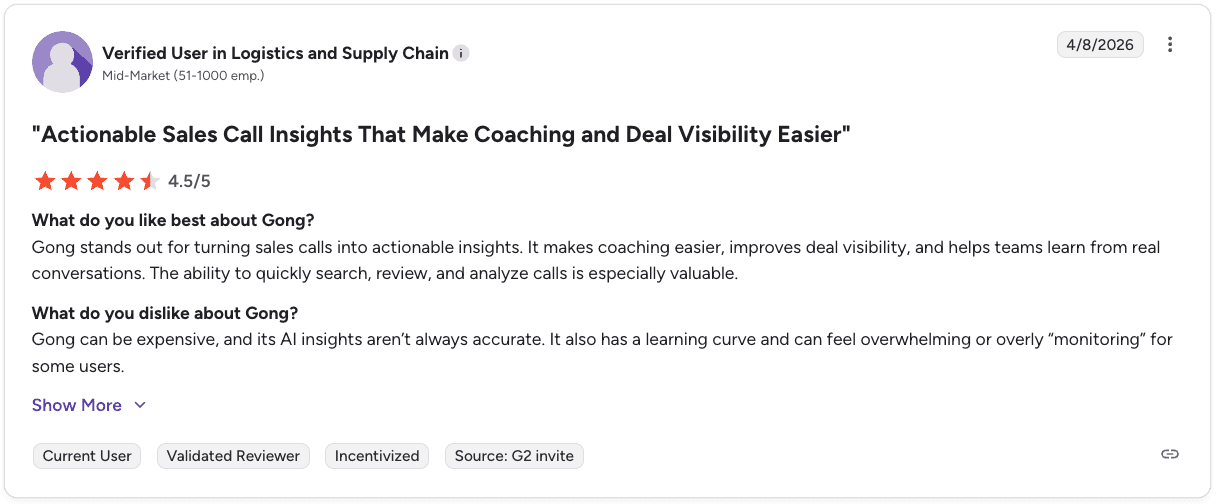
Con: “Gong can be expensive, and its AI insights aren’t always accurate. It also has a learning curve and can feel overwhelming or overly monitoring for some users.” — Verified User in Logistics and Supply Chain, G2
Pricing
Gong doesn’t publish pricing publicly. You’ll need to book a demo for a quote. Read our full Gong pricing guide for more information, including costs, plans, and the best alternatives.
Bottom line
Gong is a capable tool for B2B revenue teams that want deep deal analytics. For inside sales call centers running high-volume B2C calls, the coaching model is too manual, and the pricing is hard to justify without the deal complexity to match.
2. Five9: best for AI-powered agent management
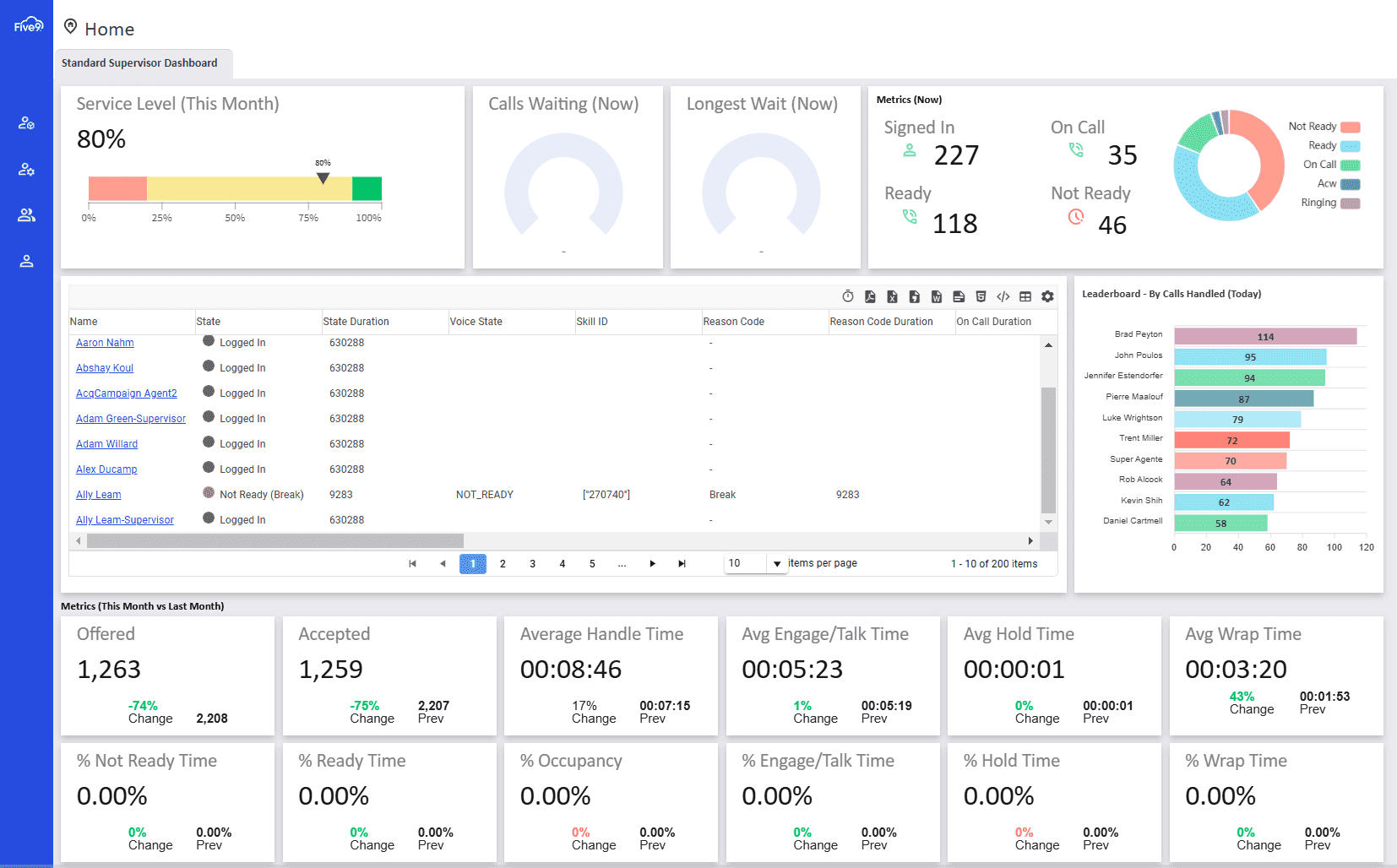
What it does: Five9 is an omnichannel cloud contact center with AI-powered agent tools, workforce management, and intelligent virtual agents across voice and digital channels.
Best for: Large operations that need advanced automation, IVAs, workforce management, and post-call AI insights in one platform.
Five9 covers a wide range of call center needs in one platform, including inbound and outbound voice, supervisor tools, and workforce management, making it one of the more complete options on this list.
Its AI features stand out, using large language models to power live transcriptions, post-call summaries, and speech analytics that can detect caller tone and sentiment, going beyond simple keyword matching.
Key features
Intelligent virtual agents (IVAs): Build self-service IVAs for SMS and web chat using a drag-and-drop designer. No coding needed.
Workforce management: Uses machine learning to forecast staffing and monitor real-time agent adherence.
AI speech analytics: Analyzes customer sentiment, intent, and caller tone on every interaction.
Supervisor dashboard: Gives managers a live view of agent performance, call queues, and analytics in one panel.
Pros and cons
✅ Pros | ❌ Cons |
Advanced AI features that surface customer intent and agent performance data. | Starts at $119 per user per month, the highest price on this list. |
Strong IVA builder for self-service deflection across voice and digital channels. | AI and CX analytics are locked to higher-tier plans. |
Workforce management tools are built directly into the platform. | The platform opens new tabs for certain features, which clutters the agent workspace. |
What users say
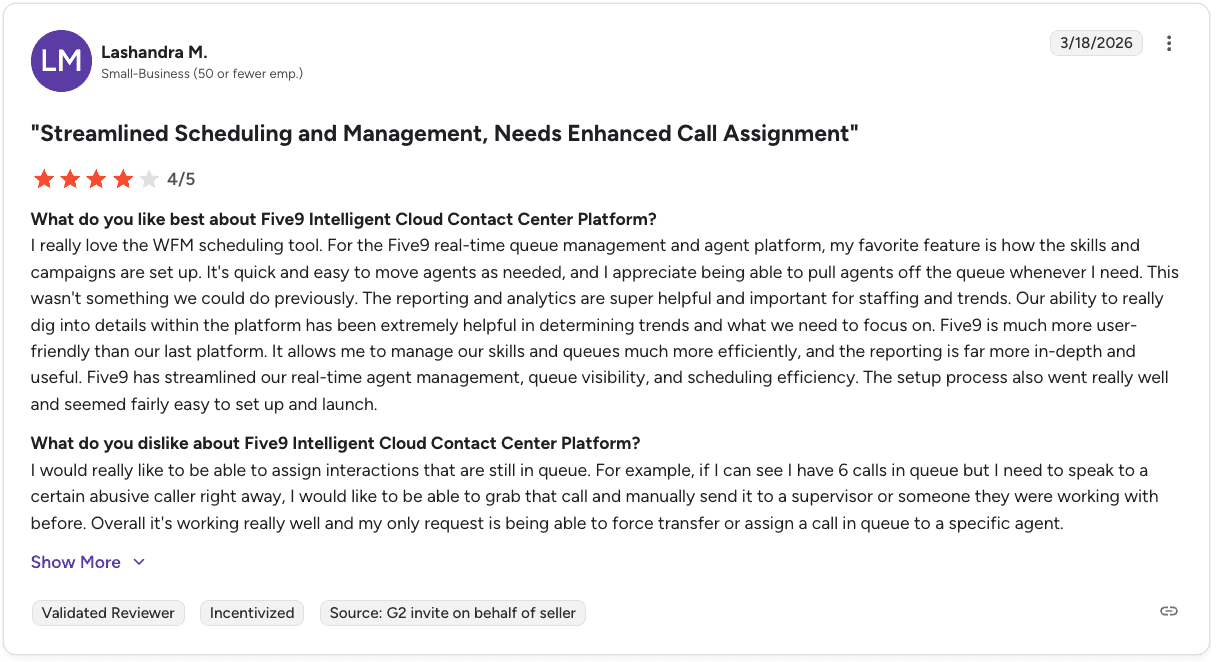
Pro: “It’s quick and easy to move agents as needed, and the reporting and analytics are extremely helpful for staffing and trends.” — Lashandra M., G2

Con: “Managing multiple chats can be challenging, and better visibility or a cleaner interface would help when handling several conversations at once.” — Nichola E., G2
Pricing
Five9 offers five plans starting at $119 per user per month with an annual commitment. Both digital-only and omnichannel options are available. No free trial, but a product demo is offered.
For a closer look at Five9 pricing, plans, and top alternatives, read our full guide.
Bottom line
Five9 is the right pick for large call centers that need enterprise-grade AI and workforce management built in. The price point is a real commitment, but the depth of features justifies it at scale.
3. Genesys: best for customer journey management
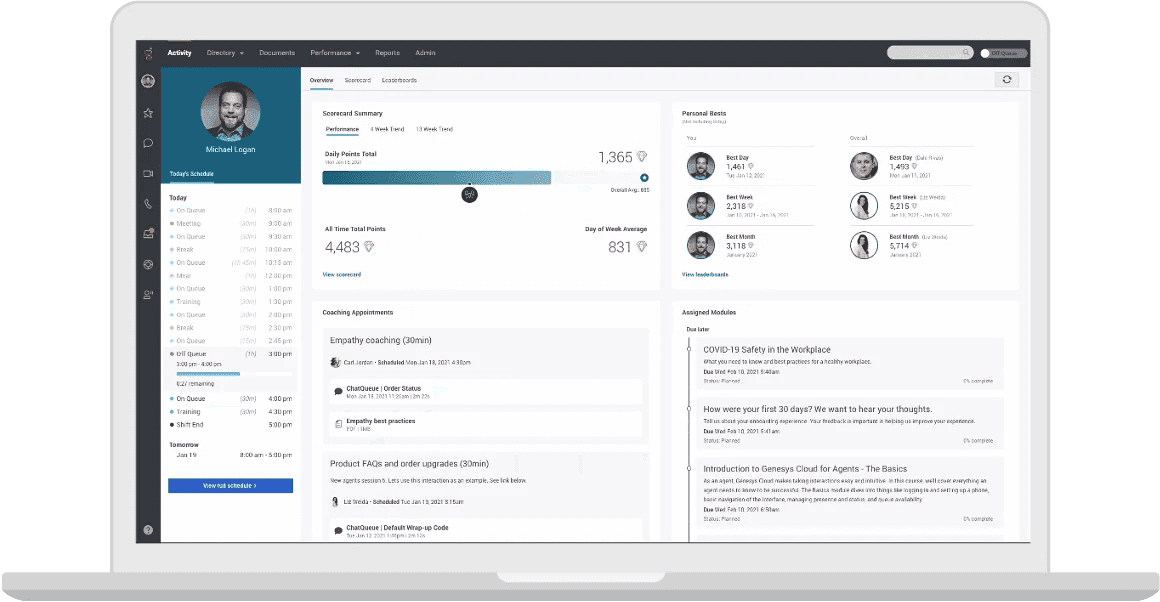
What it does: Genesys Cloud CX is an omnichannel contact center platform with AI chatbots, virtual agents, quality management tools, and customer journey analytics.
Best for: Large-scale voice or omnichannel operations that need flexible routing, journey tracking, and built-in quality management across every tier.
Genesys stands out for how well it manages the full customer journey. The drag-and-drop call flow builder is easy to learn, with IVR and skills-based routing set up quickly during testing.
Quality management tools are included across all plans, such as screen recording, supervisor dashboards, and AI-generated agent feedback during live calls.
Key features
Drag-and-drop IVR builder: Build and adjust call flows without coding experience.
Quality management: Includes evaluation forms, call recordings, and caller surveys for supervisor feedback.
Speech and text analytics: Identifies caller sentiment and coaching opportunities on active interactions.
350+ pre-built integrations: Connects to major CRMs, WFM tools, and business apps out of the box.
Pros and cons
✅ Pros | ❌ Cons |
Voice-only plan starts at $75, offering strong value for basic call center needs. | Analytics lack depth and customization compared to alternatives. |
Simple IVR builder with no coding required. | Integrating with third-party systems can be complex, even for technical teams. |
Quality management tools are included across every pricing tier. | Advanced AI features like CoPilot and knowledge bases are paid add-ons. |
What users say

Pro: “The platform gives very high flexibility in routing logic, data actions, and API-driven flows.” — Nitin P., G2
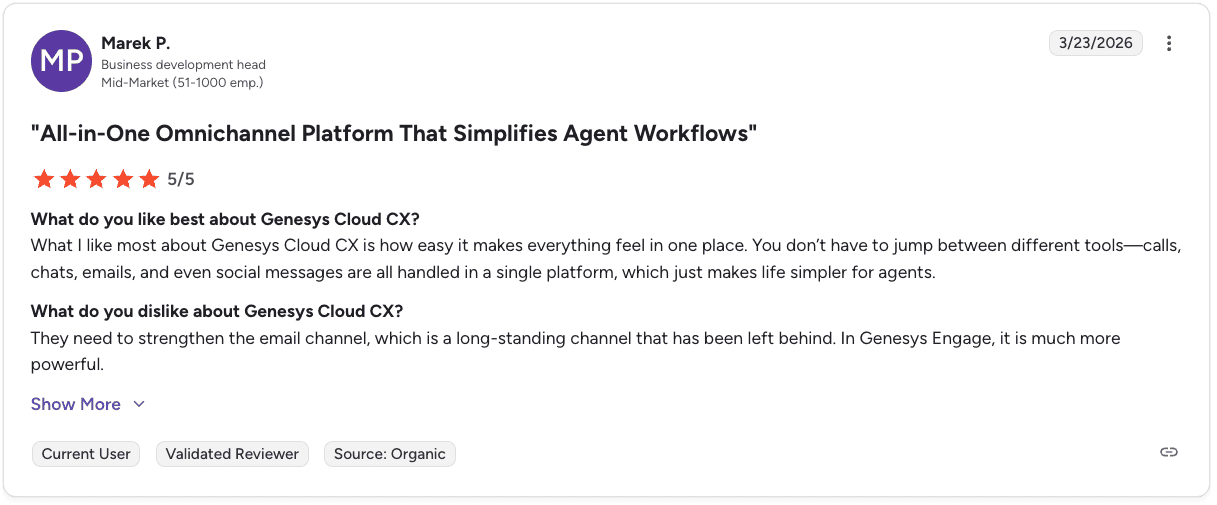
Con: “They need to strengthen the email channel, which has been left behind compared to other features.” — Marek P., G2
Pricing
Genesys Cloud CX offers four plans ranging from $75 to $240 per user per month, billed annually. Voice-only and omnichannel plans are available, along with a demo version to explore the platform. AI and virtual agent features are available as add-ons.
Get a complete look at Genesys Cloud CX pricing, plans, and best options in our guide.
Bottom line
Genesys is a strong choice for large operations that need flexible routing and solid quality management tools. Budget for add-ons if you want the full AI feature set, and bring technical resources when connecting it to other systems.
If you’re evaluating Five9 vs. Genesys and Alpharun, this guide breaks down the key differences for high-volume calling.
4. Nextiva: best all-in-one call center software
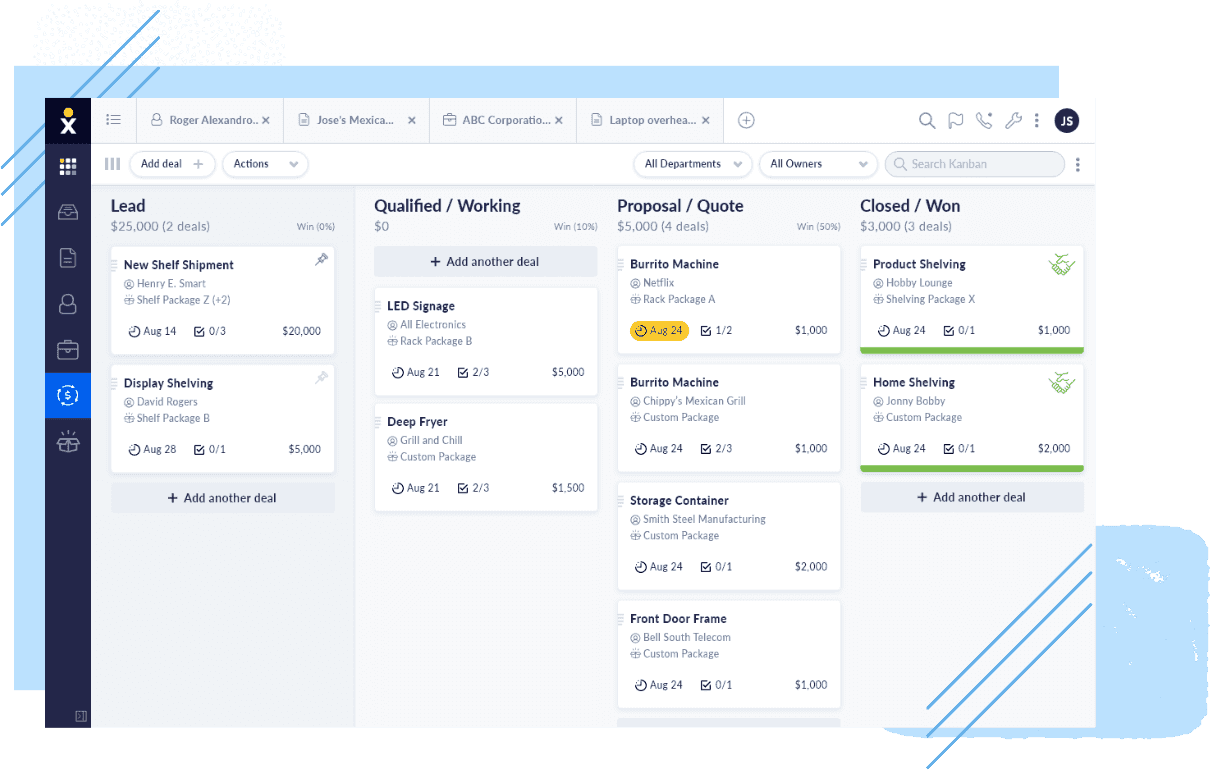
What it does: Nextiva is an AI-powered virtual call center platform with voice, digital channels, a built-in CRM, and workflow automation in one place.
Best for: Teams that want to manage outbound campaigns, inbound support, and omnichannel contacts from a single platform, without piecing together tools.
Nextiva covers more ground than most platforms on this list by combining auto dialers, agent scripts, campaign management tools, and a built-in CRM with full customer journey history in every plan, which is a rare mix at this price point.
Its analytics are equally strong, powered by Google Looker Studio to give managers clear visibility into customer experience trends, interaction breakdowns, and agent performance in one place.
Key features
Built-in CRM: Tracks customer profiles, journey history, and interaction data without a separate integration.
Auto dialers and campaign tools: Supports power and predictive dialing for outbound sales teams.
Omnichannel routing: Routes contacts across voice, SMS, chat, email, and social using skills-based and custom distribution styles.
Google Looker Studio analytics: Custom dashboards with customer experience insights and agent performance data.
Pros and cons
✅ Pros | ❌ Cons |
Rare all-in-one platform with CRM, dialers, omnichannel routing, and analytics built in. | Starts at $75 per agent per month; pricier than alternatives for teams that only need basic inbound calling. |
Rich features on even the entry-level plan. | Workflow automations have a steep learning curve. |
Flexible routing with multiple omnichannel distribution styles. | No free trial; only a video demo is available before you buy. |
What users say
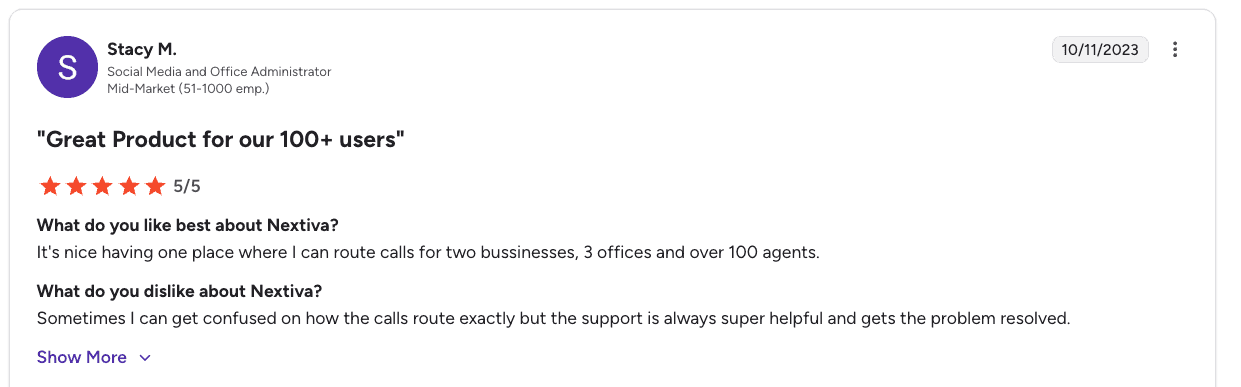
Pro: “It’s nice having one place where I can route calls for two businesses, 3 offices, and over 100 agents.” — Stacy M., G2
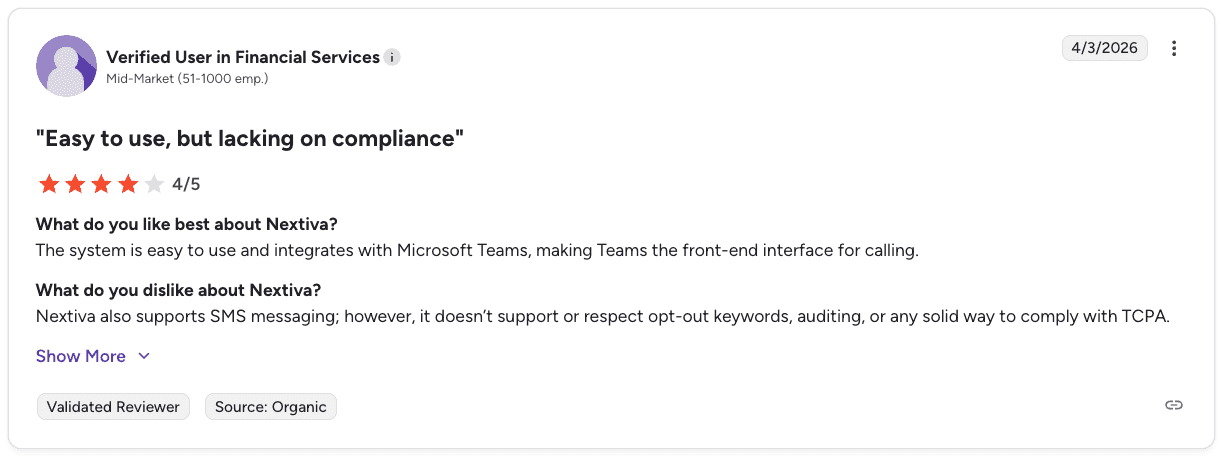
Con: “It doesn’t support or respect opt-out keywords, auditing, or provide a solid way to comply with TCPA.” — Verified User in Financial Services, G2
Pricing
Nextiva offers three plans starting at $75 per agent per month and ranging to custom pricing (billed annually). Usage-based and concurrent pricing models are also available. Single-channel (voice or digital) and omnichannel options are offered across tiers.
Bottom line
Nextiva is a strong fit for teams seeking dialers, CRM, omnichannel routing, and analytics on a single platform. Teams that only need basic call handling may find better value in a simpler, lower-cost option.
5. RingCentral: best pricing for omnichannel call centers

What it does: RingCentral offers two contact center solutions, RingCX and RingCentral Contact Center, both integrated with its UCaaS phone system.
Best for: Teams already running on RingCentral’s UCaaS platform who want to add contact center features without switching ecosystems.
RingCentral’s main strength is how well everything works together. Teams already using its UCaaS platform can add RingCX or Contact Center and keep calls, messaging, and support in one system.
Its AI features come through RingSense, which adds real-time transcripts, speech suggestions, and post-call summaries. These are paid add-ons, so the cost can increase depending on what you need.
Each plan includes 20 or more communication channels. That works well for omnichannel teams, though it may feel like more than needed for teams focused mainly on voice.
Key features
RingSense AI: Delivers real-time transcripts, speech action suggestions, automated summaries, and post-call scoring to your agents.
Customer surveys: Build and deploy surveys across 20 to 30 channels with speech analytics built in.
Virtual agents: Powered by Google Dialogflow for natural-feeling self-service chat and SMS interactions.
UCaaS integration: Connects your contact center to your RingCentral phone system, team messaging, and meetings.
Pros and cons
✅ Pros | ❌ Cons |
Starts at $65 per agent per month, offering strong value compared to most options here. | Advanced AI features like call summaries, scoring, and advanced surveys are paid add-ons. |
Strong UCaaS and CCaaS integration for teams already using RingCentral. | 20+ channels in every plan may be more than voice-focused teams need. |
AI coaching and call scoring are available through the RingSense add-on. | The real cost per seat climbs past the advertised starting price once add-ons are included. |
What users say
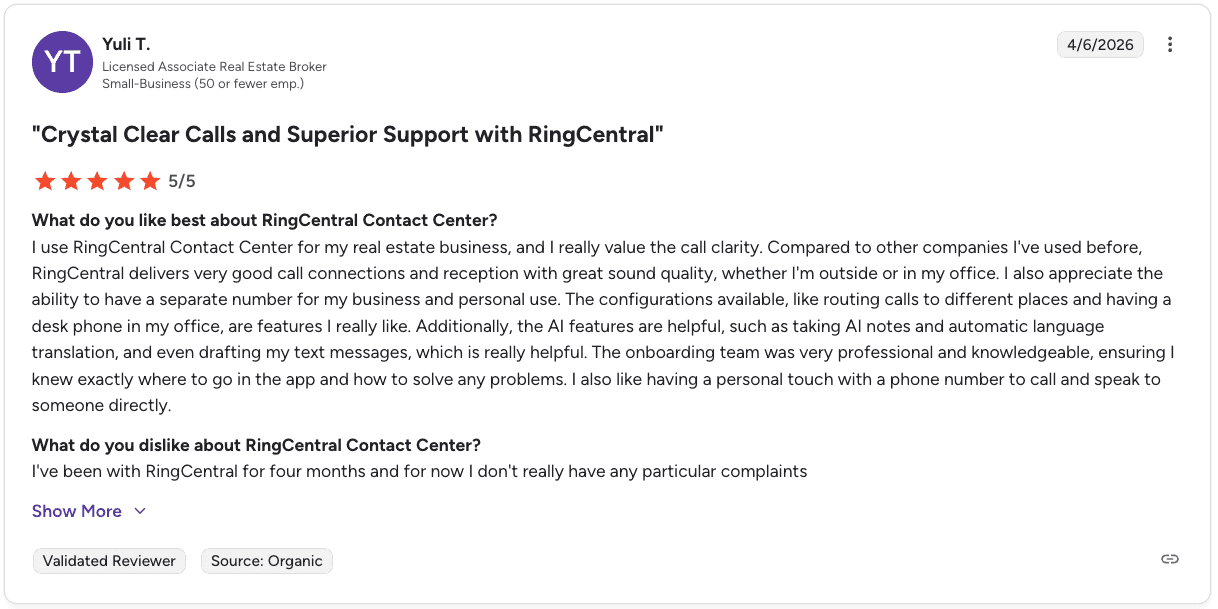
Pro: “RingCentral delivers very good call connections and reception with great sound quality, and the AI features like notes and translations are really helpful.” — Yuli T., G2
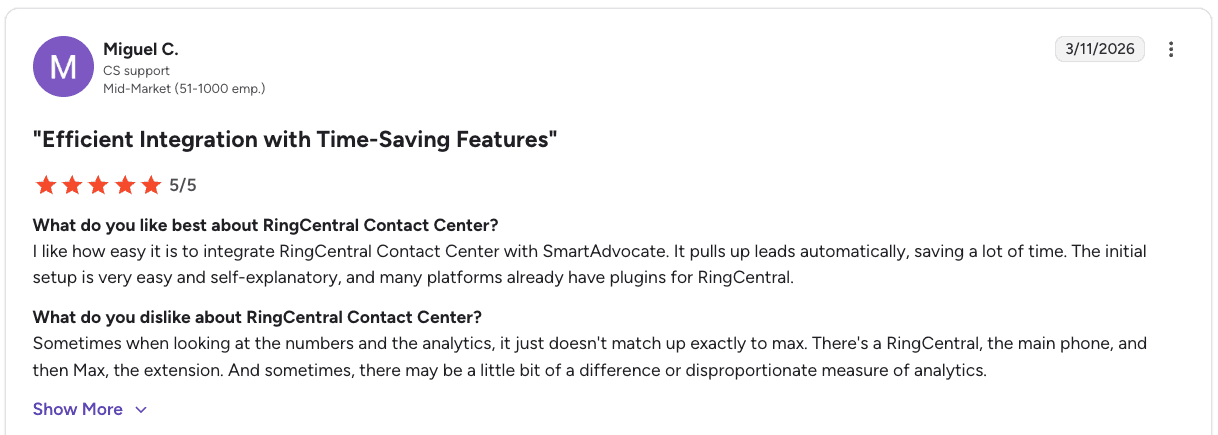
Con: “Analytics don’t always match up exactly, and there can be differences or inconsistencies in the data.” — Miguel C., G2
Pricing
RingCentral Contact Center (RingCX) offers three plans from $65 to $145 per agent per month (billed annually). There’s also an Enterprise Contact Center plan with custom pricing.
Keep an eye out for add-ons, depending on your needs. The AI Receptionist add-on starts at $59 per month. The Conversation Intelligence add-on starts at $60 per month.
Bottom line
RingCentral is a strong fit for teams already using its UCaaS platform, since everything works within one system. Just keep in mind that key features like AI coaching, summaries, and advanced surveys come at an additional cost.
6. 8x8: best for teams that need internal collaboration

What it does: 8x8 is an omnichannel contact center with built-in video meetings, internal messaging, and a mix-and-match plan structure for different team roles.
Best for: Teams that want contact center capabilities and internal collaboration tools on the same platform, with the flexibility to pay only for what each user needs.
8x8 stands out for its built-in collaboration tools. Agents can host video meetings with up to 500 participants, including polls, hand-raising, and breakout rooms, which makes team training and manager check-ins easy to run alongside daily calls.
Its flexible pricing is another plus. You can mix contact center and UCaaS seats based on what each team needs, so you avoid paying for features that go unused.
Key features
Video meetings for up to 500 users: Hosts internal and customer-facing meetings with polls, hand-raising, virtual backgrounds, and breakout rooms.
Mix-and-match plans: Combines UCaaS and CCaaS plans so you pay per role, keeping costs controlled across the team.
Automated callbacks: Removes customers from the queue and calls them back when an agent is available.
Customer data gathering: Pulls insights through surveys, CX analytics add-on, and speech and text analytics.
Pros and cons
✅ Pros | ❌ Cons |
Built-in video meetings make it practical for team training and internal communication. | AI features are less advanced than those of leading platforms. |
Mix-and-match plans prevent overpaying for seats that don’t need contact center features. | Some AI capabilities and advanced tools are only available on higher tiers or as add-ons. |
Omnichannel support across voice, SMS, email, and social media. | Most advanced features, including rich web chat and smart IVR, are paid add-ons. |
What users say

Pro: “8x8 Contact Center aggregates voice, chat, SMS, social, and email into one manageable system with helpful granular metrics and a strong global telephony network.” — Steven O., G2
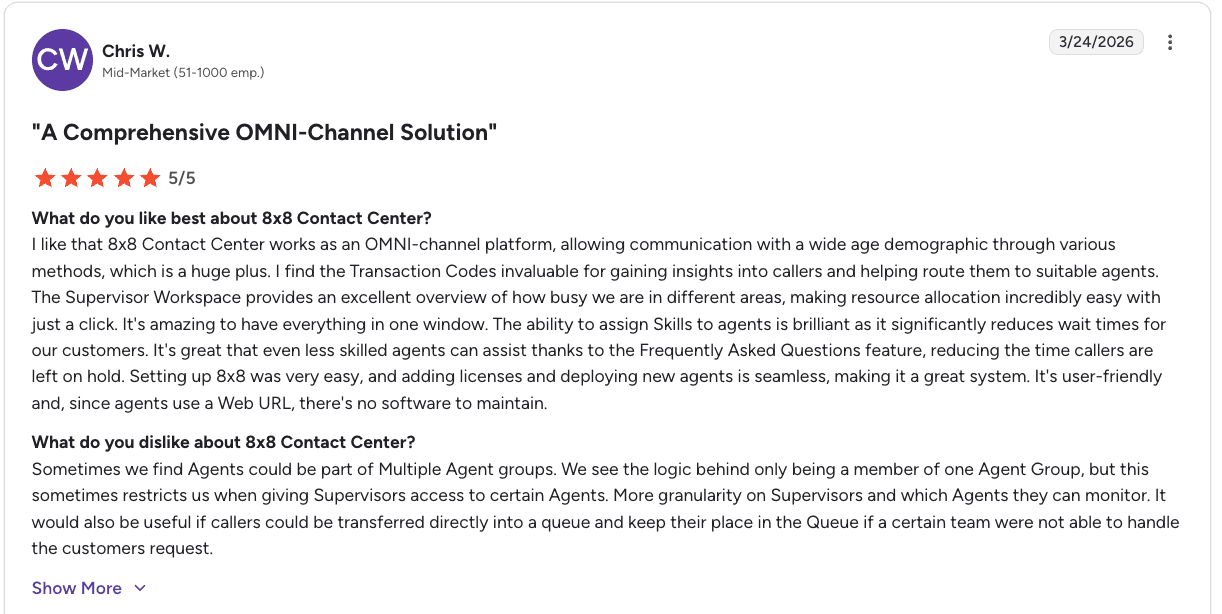
Con: “Agents can only be part of one agent group at a time, which limits flexibility, and transferring callers while keeping their place in the queue could be improved.” — Chris W., G2
Pricing
8x8 doesn’t publish pricing for its contact center plans. You’ll need to request a demo or a quote to see your costs. A demo video is available to preview the platform before committing to it, though.
Bottom line
8x8 is a solid choice for teams that value built-in collaboration for training and day-to-day coordination. It works best when simplicity and cost control matter more than advanced AI.
Teams that depend on AI for coaching, automation, or self-service may get more value from platforms like Five9 or Genesys.
7. Aircall: best for low-cost basic call center setup
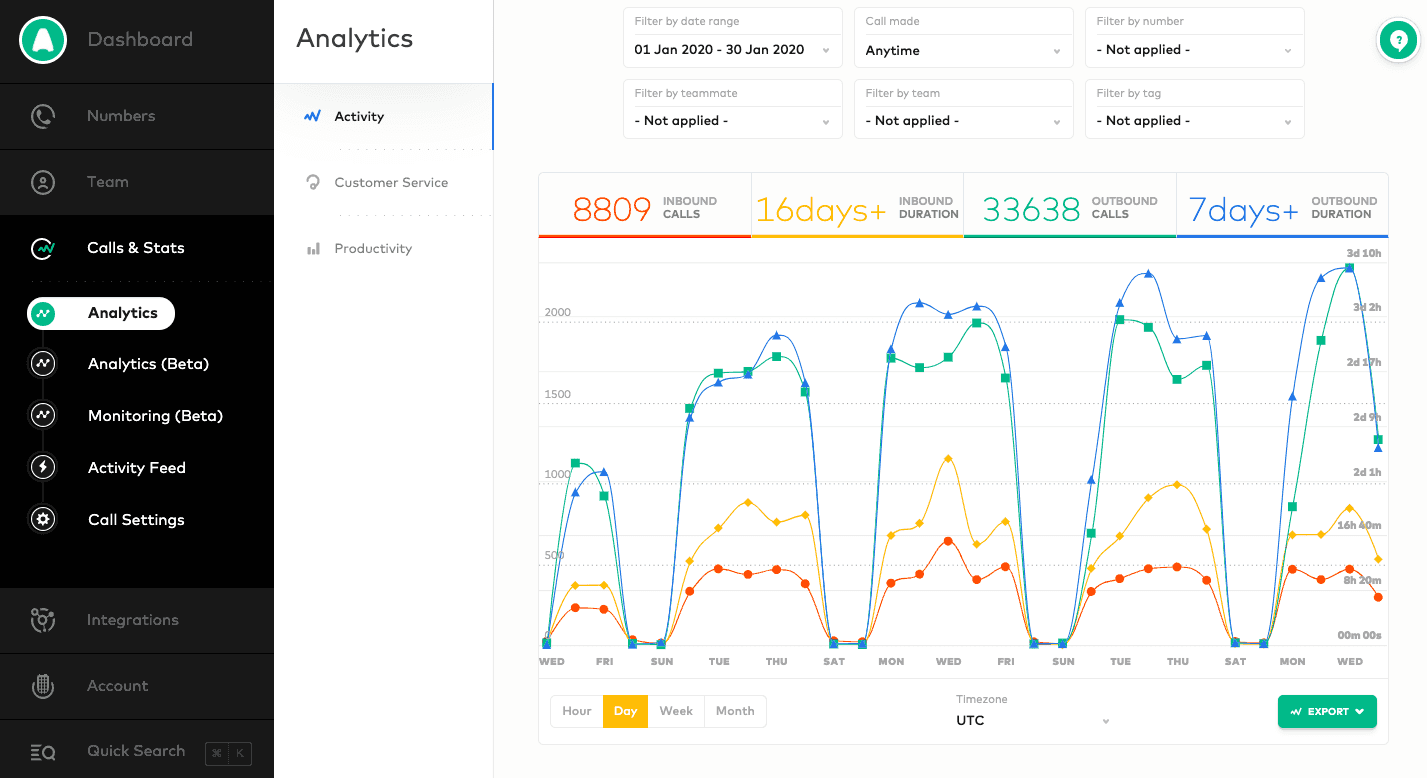
What it does: Aircall is a voice and SMS call center platform with an outbound power dialer, automated queue callbacks, and multi-level IVR.
Best for: Leaner sales teams that need a clean, easy-to-use calling setup without the complexity or cost of enterprise platforms.
Aircall is built for speed, with a clean, intuitive interface across desktop and mobile that makes it easy for agents to get started and stay efficient without heavy training.
It’s especially well-suited for outbound teams, thanks to a reliable power dialer paired with automated callbacks and multi-level IVR, giving you a strong inbound and outbound setup at a lower cost than platforms like Five9 or Genesys.
The trade-offs come in channel coverage and analytics: It focuses mainly on voice without live chat or social support, and reporting is more limited, with only basic transcript insights and only six months of historical data.
Key features
Power dialer: Boosts outbound calling speed with automated dial queues built for sales teams.
Multi-level IVR: Routes calls by agent availability, skills, CRM data, and recent customer history.
Automated callbacks: Takes customers out of the queue and calls them back when an agent is free.
Shared inbox and contacts: Lets your agents assign calls and contacts to each other with comments for context.
Pros and cons
✅ Pros | ❌ Cons |
Starts at $30 per user per month, the lowest price on this list. | No social media channels or live chat support. |
Easy for new agents to learn, on both desktop and mobile. | Call transcript analysis is limited and not included in core plans. |
Power dialer and queue callbacks cover outbound and inbound workflows well. | The app logs agents out multiple times per day, disrupting call workflows. |
What users say

Pro: “Exceptional ease of use, rapid setup, and seamless CRM integrations with HubSpot and Salesforce, with call transcripts that make it easy to review conversations.” — Noxy P., G2
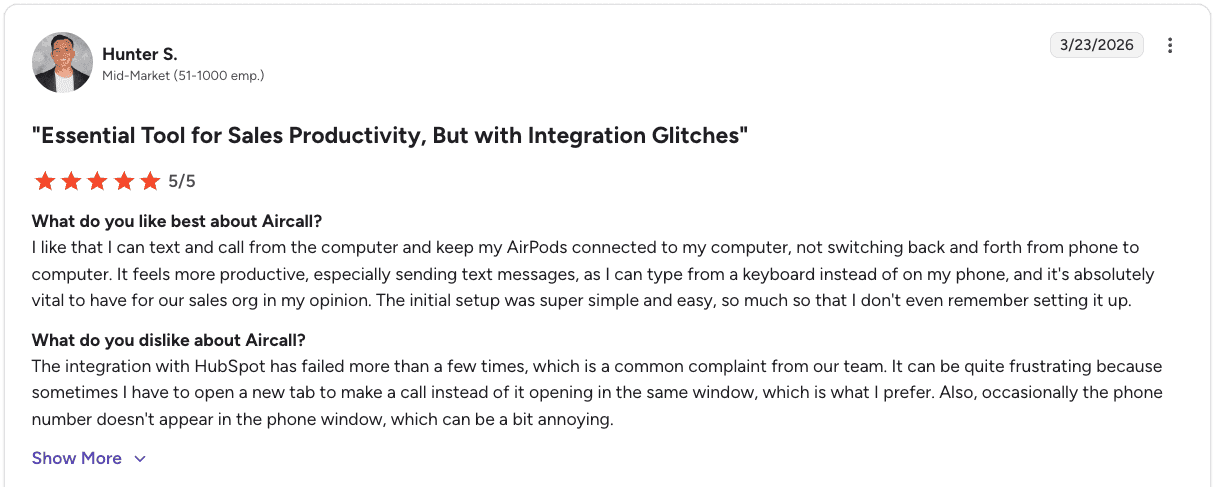
Con: “The HubSpot integration can be unreliable, with glitches that force extra steps like opening new tabs or missing phone details.” — Hunter S., G2
Pricing
Aircall offers plans ranging from $30 to over $50 per user per month (billed annually). There’s also a custom plan, which requires you to get a quote. All plans include voice calling and SMS. A seven-day free trial is available.
Bottom line
Aircall is the right fit for leaner teams looking for a clean, affordable calling setup without enterprise-level complexity. When your team needs deeper analytics, AI coaching, or social channels, you’ll outgrow it.
Which inside sales call center software should you choose?
The best platform depends on what you’re optimizing for. Here’s a quick breakdown.
Choose Gong if you:
Run a B2B sales team with complex, multi-touch deal cycles.
Need deal intelligence and pipeline analytics alongside call recording.
Have a mature RevOps function to manage the platform.
Choose Five9 if you:
Need advanced AI features, IVAs, and workforce management in one platform.
Run a large omnichannel operation and can justify the $119+ per seat cost.
Choose Genesys if you:
Run high-volume voice or omnichannel operations that need flexible routing and quality tools.
Have technical resources available to manage integrations.
Choose Nextiva if you:
Want a true all-in-one platform with CRM, auto dialers, and omnichannel routing built in.
Don’t want to manage multiple tools for outbound campaigns and inbound support.
Choose RingCentral if you:
Already use RingCentral’s UCaaS platform and want to add contact center features.
Need a lower base price and are comfortable building up with add-ons.
Choose 8x8 if you:
Need internal video collaboration built into your call center platform.
Want the flexibility to mix and match UCaaS and CCaaS plans across different roles.
Choose Aircall if you:
Run a leaner team and need a clean, affordable calling setup.
Don’t need advanced analytics, AI coaching, or social channels yet.
What inside sales call center software alone won’t do
Most inside sales call center platforms handle the basics well, like routing, queueing, and recording. Where things break down is performance. You can track calls, but it’s still unclear why some reps close more deals than others.
That leaves managers stuck reviewing calls and coaching manually, which doesn’t scale.
Alpharun works alongside your existing call center platform as a coaching and QA layer. It integrates with major platform tools like Five9 and Genesys, analyzes your call data, and turns it into clear patterns based on what actually drives conversions in your team.
What Alpharun adds:
Identifies the phrases and behaviors that drive conversions
Scores every call against a model built from your own data
Delivers weekly coaching priorities for each rep
Sends short, actionable feedback directly to agents
Reduces time spent on manual reviews and debriefs
Integrates quickly with your existing dialer setup
SOC 2 Type 2 compliant for regulated teams
You get both: A coaching system that lifts rep performance and AI agents that handle routine work like scheduling and early-stage calls. Schedule a demo to see how Alpharun works alongside your call center platform.
Frequently asked questions
What is the best inside sales call center software?
The best inside sales call center software depends on your team size, budget, and sales workflow. Five9 and Genesys work best for large, high-volume teams, while Nextiva fits teams that want an all-in-one setup. Aircall is a strong option for smaller teams that need a simple and affordable system.
What’s the difference between call center software and conversation intelligence tools like Gong?
The main difference between call center software and conversation intelligence tools is function.
Call center software manages calls, routing, and channels, while tools like Gong analyze conversations for coaching and pipeline insights. Many teams use both, but Gong is better suited for B2B sales than high-volume call centers.
How much does inside sales call center software cost?
Inside sales call center software typically costs between $30 and $120 per user per month, depending on features and scale. Aircall starts around $30, while platforms like Five9 can exceed $100. Some tools, like Gong and 8x8, require a demo to get custom pricing.
What features should a high-volume B2C sales team look for in call center software?
High-volume B2C sales teams should look for skills-based routing, outbound dialers, automated callbacks, and real-time dashboards. Compliance features like SOC 2 Type 2 and HIPAA are essential for regulated industries. AI coaching and QA tools help improve rep performance at scale.
Does call center software include sales coaching?
No, most call center software includes basic analytics and supervisor tools, not full sales coaching. Dedicated platforms like Alpharun add real-time coaching based on your call data and work alongside your existing system.

