
After testing and researching the leading AI call center platforms used by high-volume B2C sales teams, these are the 7 technologies that hold up in 2026, along with the one layer most of them are missing.
7 best AI call center technologies: quick comparison
💻 Tool | ⚡ Strengths | 🎯 Best for | 💰 Starting price |
NICE CXone | Deep QA, compliance, and workforce management at scale | Large regulated teams (100+ reps) needing full control | ~$110/user/month |
Genesys Cloud CX | Strong omnichannel routing + built-in WFM | Teams handling inbound + outbound across channels | $75/user/month |
Five9 | Reliable predictive dialer for outbound volume | Outbound-heavy teams (50+ reps) | $119/user/month |
Talkdesk | Pre-built compliance workflows and industry AI | Medicare, insurance, healthcare teams | $85/user/month |
RingCentral | Enterprise reliability + broad integrations | Large teams needing stable multi-channel ops | ~$65/user/month |
Dialpad | AI-native features with fast setup | Mid-size teams wanting built-in AI without complexity | $15/user/month |
Avaya | Flexible architecture across cloud/on-prem | Enterprises with complex infrastructure needs | Custom pricing |
How we researched and tested the best-rated AI call center technologies
Each platform was evaluated the way most teams assess tools in practice, by looking at what it promises and how that holds up in real use.
The process started with feature documentation and pricing pages to understand positioning. From there, real user feedback from G2 and Capterra helped surface where platforms perform well and where they fall short.
When trials were available, core workflows were tested directly to get a feel for usability. For enterprise tools without transparent pricing, demo materials and detailed user reviews filled in the gaps.
The focus stayed on what actually matters in a high-volume environment:
Features: How well the platform handles dialing, routing, QA, and AI support during live operations
Usability: Whether reps can move quickly without friction when they’re working through back-to-back calls
Integrations: How easily it fits into an existing stack with dialers, CRMs, and other tools
Pricing: What you really get at each tier and where key features start getting gated
Use cases: How it performs in real situations like compliance tracking, outbound campaigns, and day-to-day coaching
This approach makes it easier to see which tools actually hold up when the call volume is high, and which ones sound good on paper but fall short once you’re running a full floor.
1. NICE CXone: best for enterprise-scale call center management
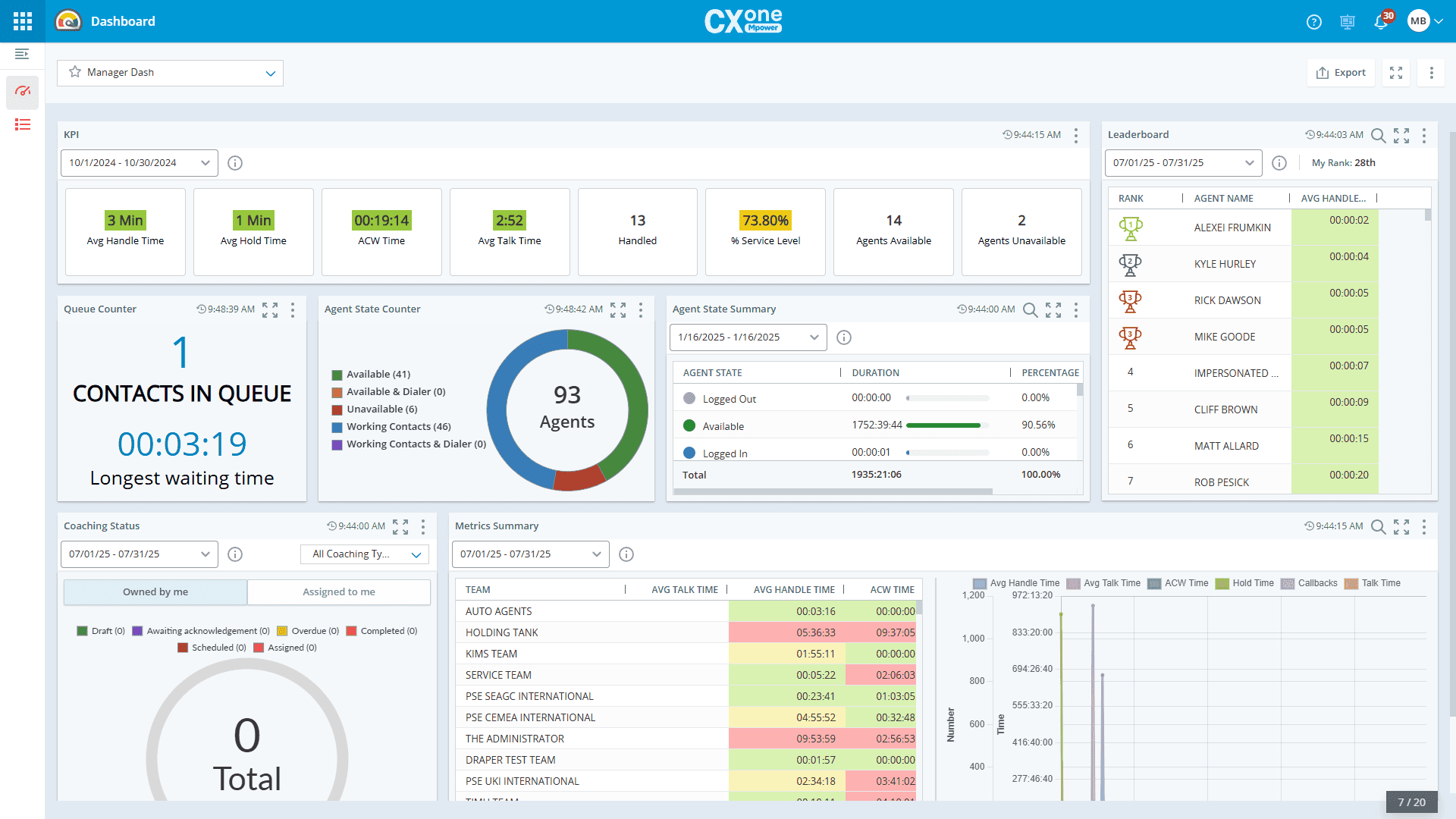
What it does: End-to-end cloud contact center platform with AI-powered routing, workforce management, and quality management tools built for large enterprise operations.
Best for: Large B2C call centers (100+ reps) in regulated industries that need a fully integrated platform for routing, QA, compliance, and performance tracking.
NICE CXone is a strong fit for large, high-volume teams, especially in industries like insurance and healthcare where compliance is part of every call. It’s built to handle scale and keep operations steady under heavy volume.
Its AI covers the essentials, including predictive routing, interaction analytics, and workforce forecasting, all within one system.
Where it stands out is QA: Speech and text analytics, automated scoring, and compliance tracking are built in, giving teams clear visibility across thousands of calls and helping maintain consistent standards.
Key features
AI-powered routing: Matches callers to agents based on skills, history, and predicted outcome.
Interaction analytics: Surfaces trends, compliance gaps, and coaching opportunities across recorded calls.
Workforce management: Forecasting, scheduling, and agent performance tools in one platform.
Quality management: Automated call scoring and compliance monitoring at scale.
Omnichannel support: Voice, digital, and messaging channels in a unified agent desktop.
Pros and cons
✅ Pros | ❌ Cons |
Deep QA and compliance tooling built for regulated industries | Pricing is custom and tends to run high for smaller operations |
Handles enterprise-scale volume without performance degradation | Implementation complexity requires dedicated admin resources |
Strong workforce management capabilities for large teams | Some users report the interface feels dated compared to newer platforms |
What users say
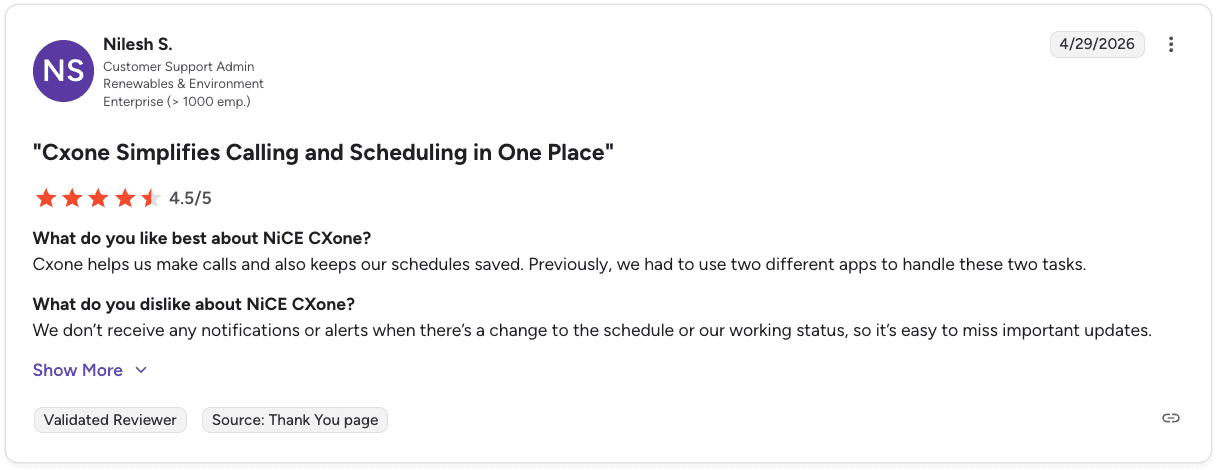
Pro: “Cxone helps us make calls and also keeps our schedules saved. Previously, we had to use two different apps to handle these two tasks.” — Nilesh S., G2
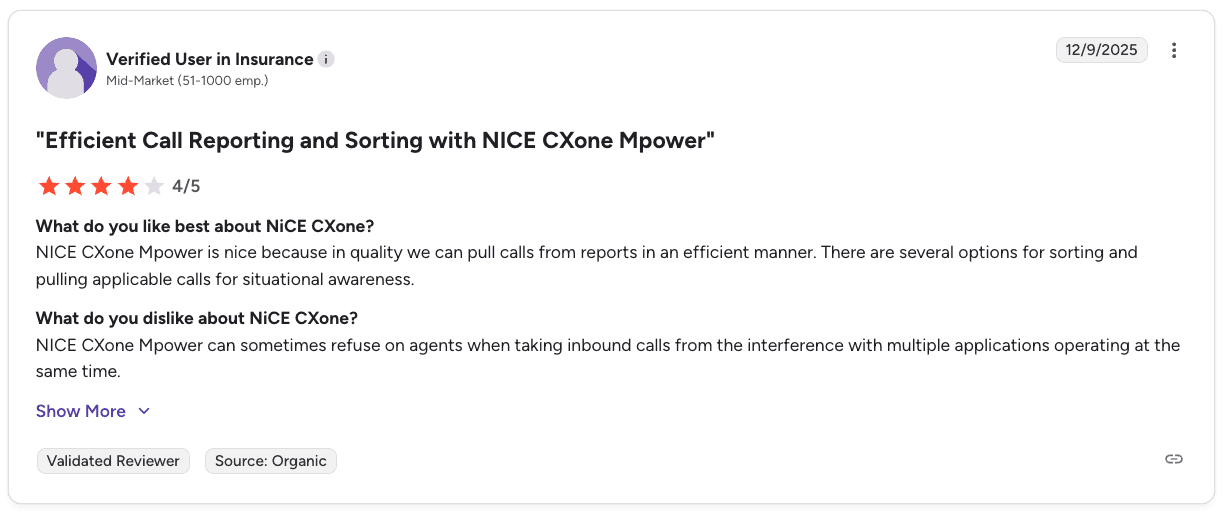
Con: “NICE CXone Mpower can sometimes refuse on agents when taking inbound calls from the interference with multiple applications operating at the same time.” — Verified User in Insurance, G2
Pricing
Pricing typically follows a per-agent, per-month model, starting around $110 and scaling up to $249+ depending on features and AI capabilities.
Bottom line
NICE CXone is a solid option for larger teams that need everything in one place, especially when QA and compliance are a big part of the operation. It handles scale well and gives you deep visibility across calls.
For smaller teams or simpler setups, it can feel heavier than what you actually need, both in terms of setup and cost, so it really depends on how complex your operation is.
2. Genesys Cloud CX: best for omnichannel call centers
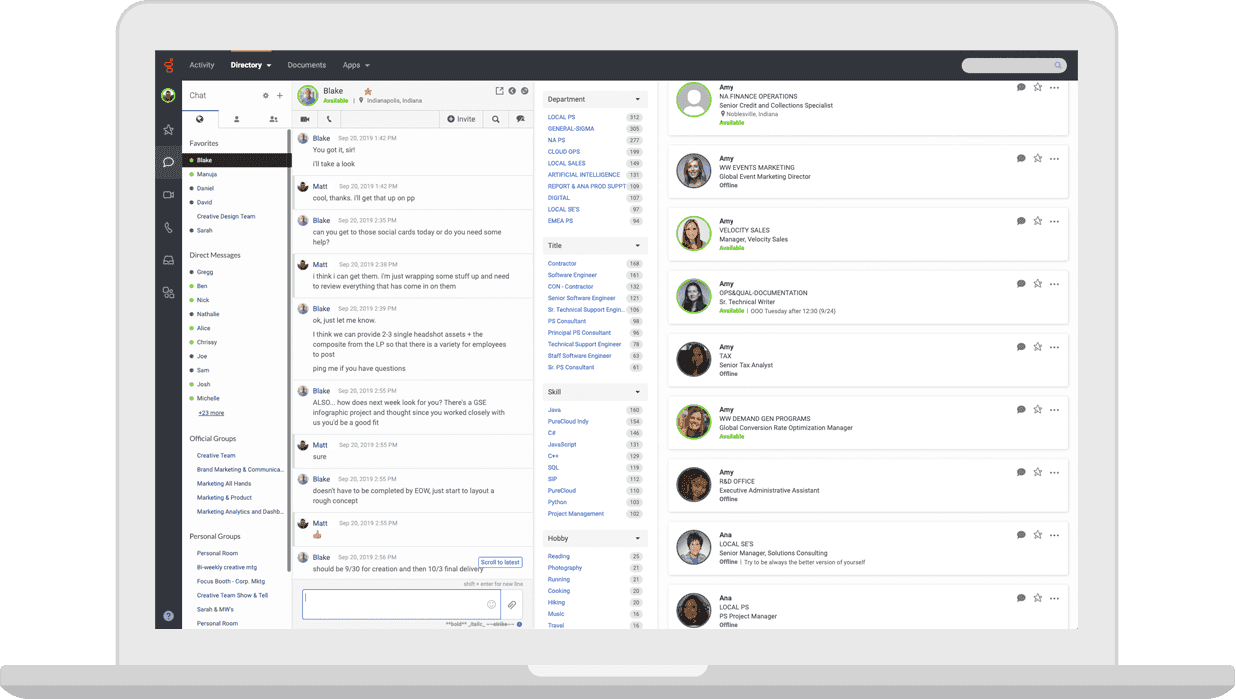
What it does: AI-powered contact center platform handling voice, email, chat, SMS, and social media with predictive routing and built-in workforce management.
Best for: Inside sales teams handling both inbound and outbound calls who need a flexible, scalable platform with strong omnichannel capabilities.
Genesys Cloud CX works well for teams handling high call volume alongside chat and email, with everything in one interface so agents can move quickly without switching tools. The routing is strong, especially when matching calls to the right reps at scale.
Its biggest advantage is workforce management, with forecasting, scheduling, and QA built into the same system. The tradeoff is that many of those features sit in higher tiers, so you need to move up the pricing ladder to unlock the full value.
Key features
Predictive routing: Matches callers to the agents most likely to get the best outcome.
Omnichannel desktop: Voice, email, chat, and messaging in one agent view.
Workforce management: AI-driven forecasting and scheduling tools.
Speech and text analytics: Available on CX 3 and above for deeper call insights.
AppFoundry Marketplace: 600+ integrations including Salesforce, HubSpot, and Microsoft Dynamics.
Pros and cons
✅ Pros | ❌ Cons |
Handles omnichannel operations at scale with a clean agent interface | Workforce management and speech analytics require higher-tier plans ($155+/user/month) |
Strong predictive routing for both inbound and outbound teams | Advanced features take time to configure properly |
Regular AI and analytics updates keep the platform current | Limited to one CRM connection at a time, which creates friction for multi-system teams |
What users say

Pro: “It enables real-world use cases such as after-hours callback scheduling, dynamic routing, and seamless bot-to-agent transitions.” — Phaneendra A., G2

Con: “The UI can feel a bit overwhelming at first, with too many options and settings for new users.” — Furkan K., G2
Pricing
CX 1 (Voice): $75/user/month
CX 2 (Digital + Voice): $115/user/month
CX 3 (Digital + WFM): $155/user/month
CX 4 (Full suite): $240/user/month
We’ve also broken down Genesys pricing in more detail, including what’s included at each tier and where costs tend to increase.
Bottom line
For teams running a mix of inbound and outbound across channels, Genesys Cloud CX brings structure and control into one platform. In simpler setups, that level of depth can feel more involved than what’s needed day to day.
3. Five9: best for outbound-heavy call centers

What it does: Cloud contact center platform built for high-volume outbound calling with predictive dialing, call routing, and CRM integrations.
Best for: Outbound-heavy B2C sales teams with 50+ reps who need a reliable predictive dialer and strong volume handling.
Five9 is known for doing one thing really well: running outbound calls at scale without issues. For teams in Medicare, insurance, or home services pushing through hundreds of dials a day, that consistency matters more than having every feature under the sun.
It also supports multi-channel conversations and connects easily with most CRMs, but the dialer is still the main draw. Where it tends to fall behind is on the agent side.
The interface can feel dated, and it usually takes reps some time to get comfortable working in it compared to newer platforms.
Key features
Predictive dialer: Optimized for high-volume outbound without dropped connections.
Intelligent routing: Skills-based routing for inbound and blended teams.
CRM integrations: Native connections with Salesforce, HubSpot, Microsoft Dynamics, and others.
AI Summaries: Automated call summaries and disposition notes.
Multi-channel support: Voice, email, chat, and SMS in one platform.
Pros and cons
✅ Pros | ❌ Cons |
Predictive dialer handles high outbound volume reliably | Dated interface with a steep learning curve for new agents |
Strong CRM integration ecosystem | Requires 50-seat minimum and annual contracts |
Scales well for teams running large outbound campaigns | Full QA features sit behind Pro tier at custom pricing |
What users say

Pro: “It lets me review my call history, and it also provides clear, step-by-step guidance when I need to transfer calls.” — Kevin R., G2
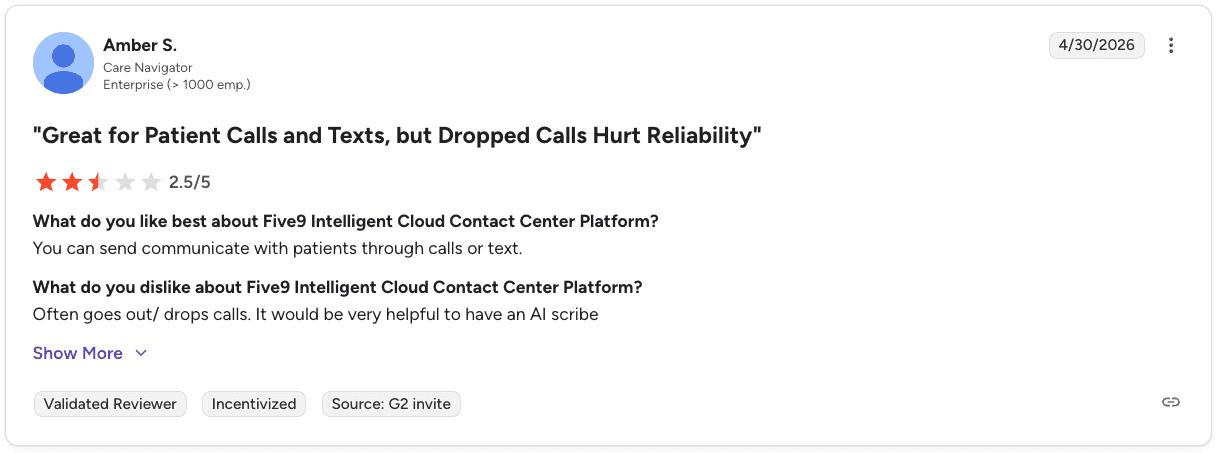
Con: “Often goes out/ drops calls. It would be very helpful to have an AI scribe” — Amber S., G2
Pricing
Pricing starts at $119 to $159 per user/month for entry tiers, with higher plans requiring custom quotes depending on features and scale.
See our full Five9 pricing breakdown for a deeper look at tiers and real costs.
Bottom line
If your operation is driven by outbound volume and consistency matters more than anything else, Five9 usually holds up well. It’s a strong dialer-first platform, but teams looking for a smoother agent experience or deeper QA tools may want to compare it against other setups.
For more context on how Five9 stacks up, see our Five9 vs Genesys vs Alpharun comparison for high-volume sales teams.
4. Talkdesk: best for regulated industry call centers
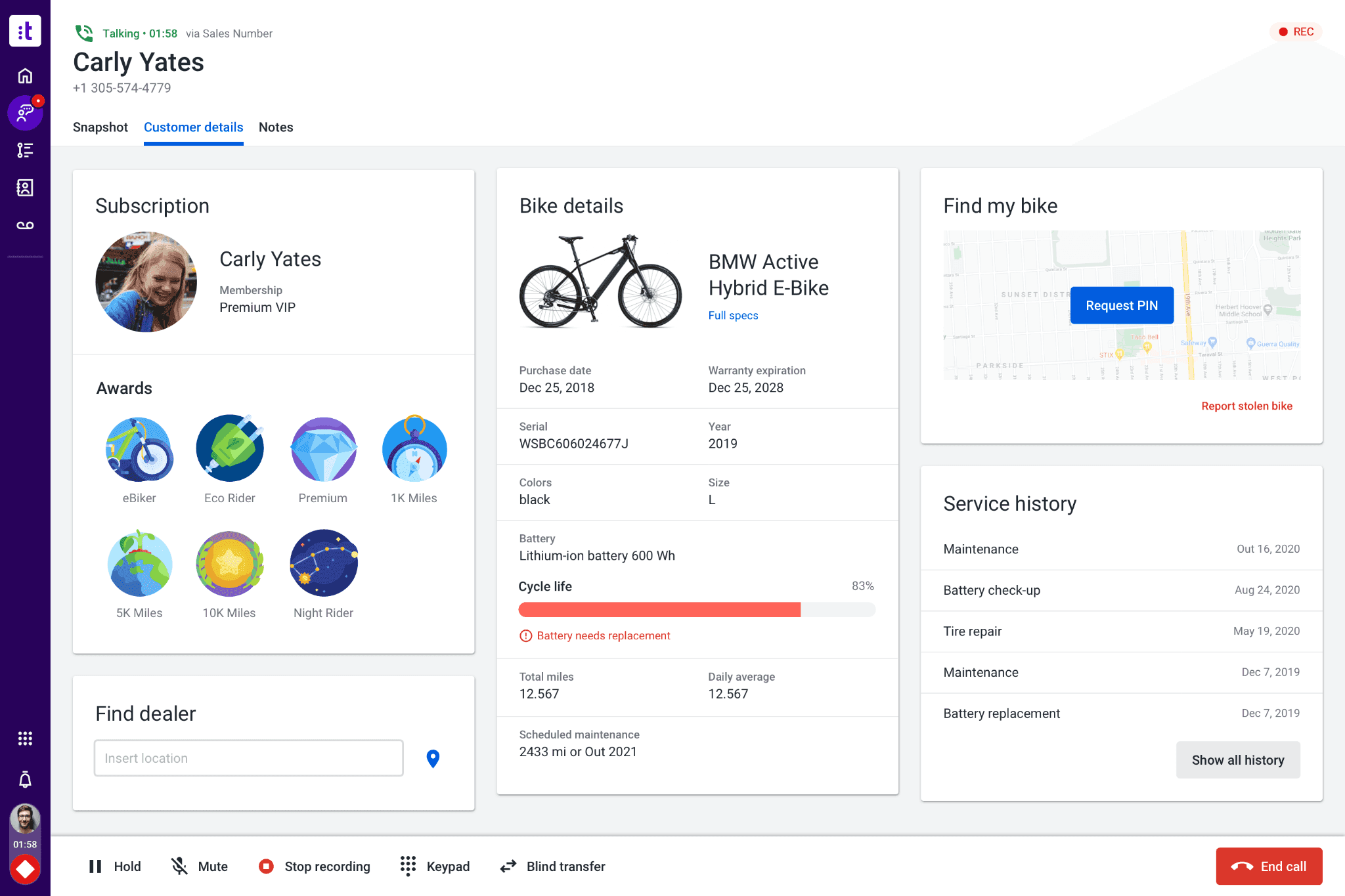
What it does: Cloud contact center platform with AI-powered automation and pre-built Industry Experience Clouds for banking, insurance, healthcare, and retail.
Best for: Medicare, insurance, and healthcare call centers that need compliance workflows pre-configured rather than built from scratch.
Talkdesk stands out most with its Industry Experience Clouds, especially for teams in insurance, healthcare, or other regulated spaces where compliance shapes every call.
Instead of starting from a blank slate, a lot of the structure is already in place, from call flows to AI models trained around common scenarios in those industries.
That upfront setup can save teams a meaningful amount of time and reduce the risk of missing something critical early on. Other platforms can get you to the same place, but it usually takes more internal effort to build and test everything before it’s ready to use.
Key features
Industry Experience Clouds: Pre-built solutions for insurance, healthcare, financial services, retail, and government.
AI for self-service: Automated tools to help callers get answers faster.
Omnichannel engagement: Voice and digital channels in one platform.
Customer experience analytics: Insights across inbound and outbound interactions.
70+ integrations: Plus a marketplace with 100+ apps.
Pros and cons
✅ Pros | ❌ Cons |
Pre-built compliance workflows reduce setup time for regulated teams | Industry Experience Cloud pricing ($225/user/month) adds up quickly at scale |
Industry-specific AI is trained for your vertical from day one | Pre-built industry clouds may not fit every team’s workflow exactly |
Works across voice and digital channels in a single platform | Performance can lag during peak volume periods |
What users say
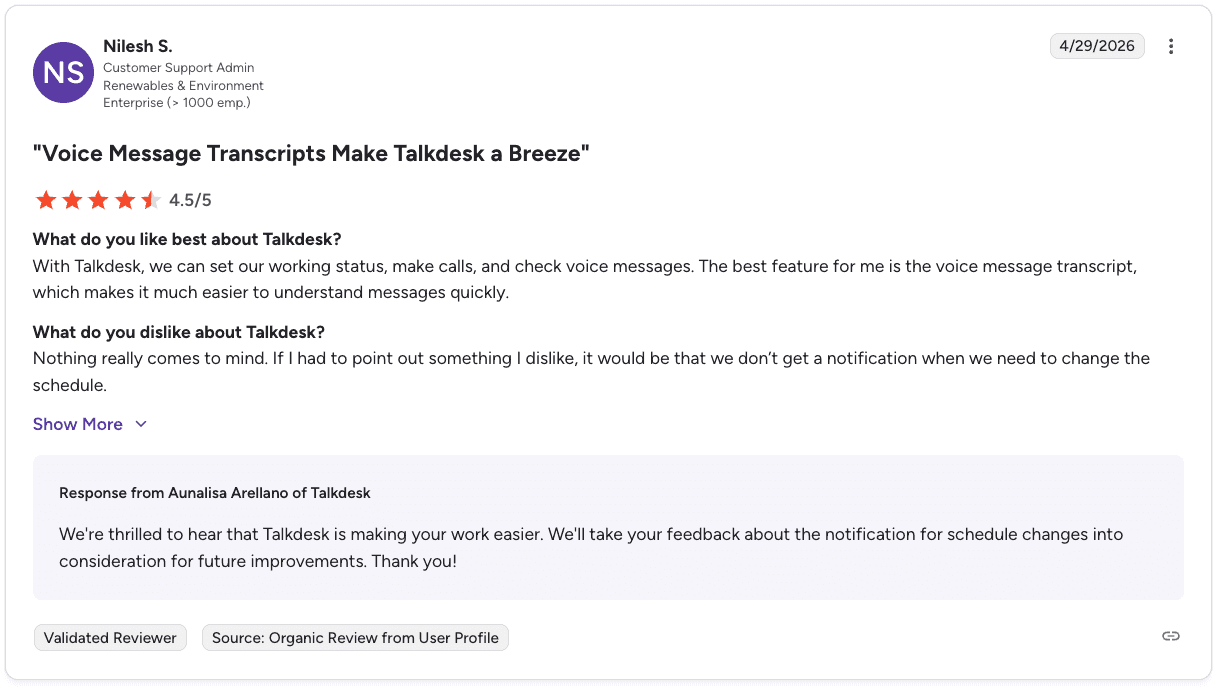
Pro: “The voice message transcript makes it much easier to understand messages quickly.” — Nilesh S., G2
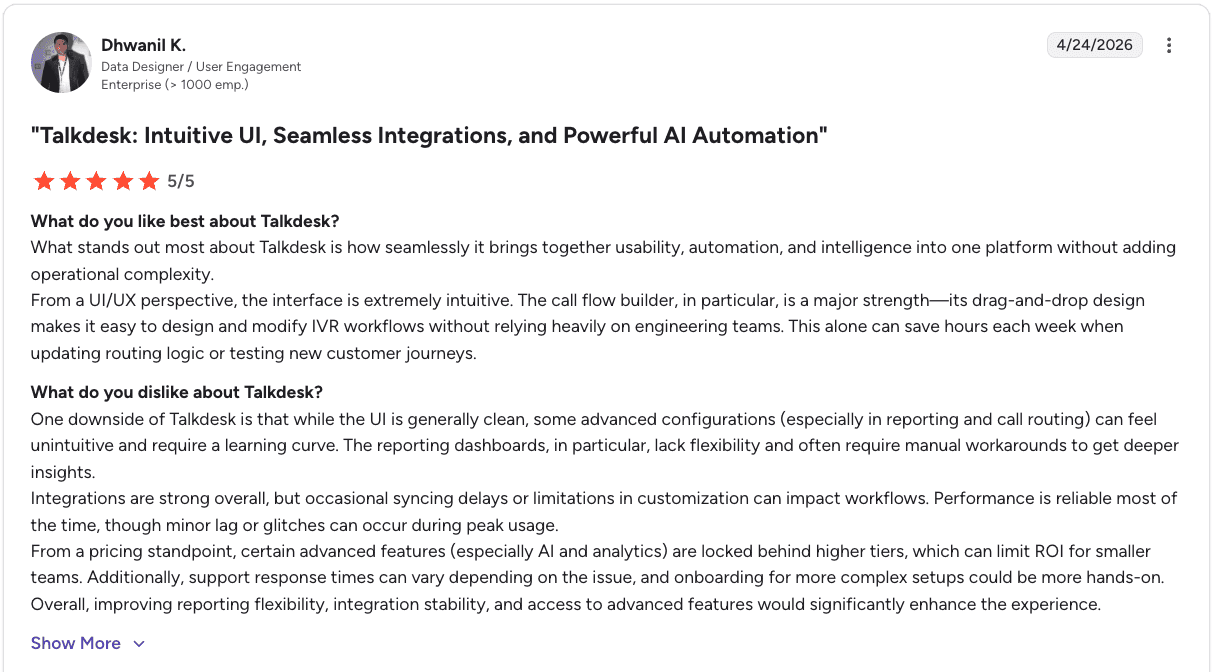
Con: “Reporting dashboards lack flexibility and often require manual workarounds to get deeper insights.” — Dhwanil K., G2
Pricing
Digital Essentials: $85/user/month
Voice Essentials: $105/user/month
Elite: $165/user/month
Industry Experience Clouds: $225/user/month
Bottom line
Talkdesk stands out in how quickly teams can get up and running and how easy it is for agents to use day to day.
The core experience is smooth, though teams that need deeper reporting or more control over advanced workflows may find themselves doing more manual work behind the scenes.
5. RingCentral Contact Center: best for large teams needing proven infrastructure

What it does: Enterprise cloud contact center platform with AI-powered routing, quality management, and broad CRM integration across voice and digital channels.
Best for: Large B2C sales call centers that need enterprise-grade reliability with strong integration capabilities and multi-channel support.
RingCentral Contact Center brings the stability and integration depth of a large enterprise platform to contact center operations. The platform connects well with major CRMs and business tools, and the AI routing and analytics features have matured significantly in recent years.
For high-volume B2C teams, the reliability is a genuine selling point. RingCentral handles call routing and recording at enterprise scale without the degradation issues some newer platforms show under load.
Key features
Intelligent routing: AI-powered skills-based routing for inbound and outbound.
AI-powered analytics: Call monitoring, speech analytics, and performance reporting.
Quality management: Automated QA scoring and compliance monitoring.
CRM integrations: Salesforce, HubSpot, Zendesk, Microsoft Dynamics, and others.
Multi-channel support: Voice, email, chat, and SMS in a unified agent interface.
Pros and cons
✅ Pros | ❌ Cons |
Enterprise-grade reliability and uptime at high call volumes | Pricing requires a custom quote, making cost comparison difficult upfront |
Broad integration ecosystem with major CRMs and business tools | Advanced AI features sit behind higher pricing tiers |
Strong multi-channel capabilities for teams handling voice and digital | Implementation requires dedicated admin resources and takes time to optimize |
What users say

Pro: “It’s a unified, cloud-based platform that makes it easy to manage voice, chat, email, and other customer interactions all in one place.” — Ashwin P., G2
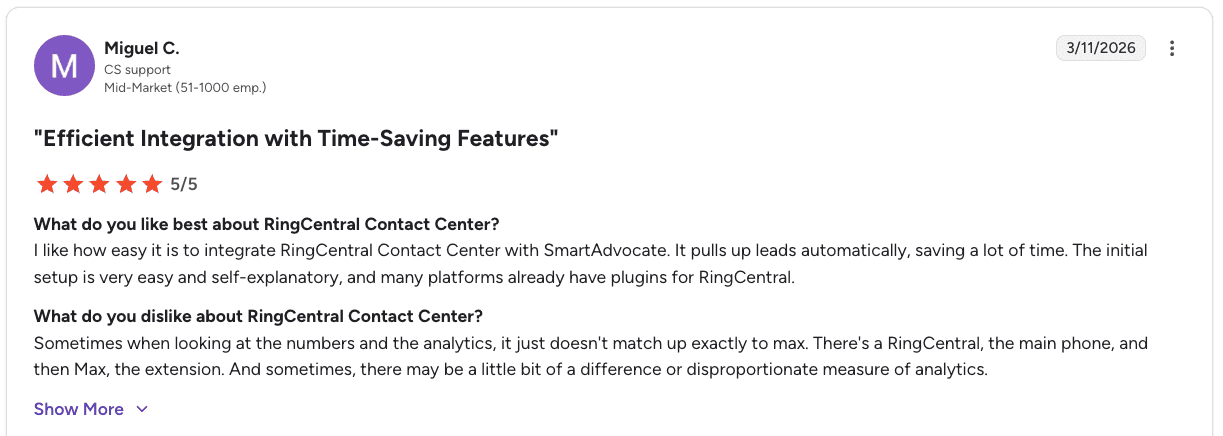
Con: “Analytics don’t always match exactly, with occasional discrepancies across systems.” — Miguel C., G2
Pricing
Pricing starts around $65-$145 per user/month for standard tiers, with enterprise plans moving to custom pricing based on features and scale.
Bottom line
RingCentral feels easy to settle into, especially if your team needs everything in one place without overcomplicating the workflow.
It’s reliable, call quality holds up, and integrations help keep things moving. As your setup gets more complex, reporting and customization can take a bit more effort to work through.
6. Dialpad Contact Center: best for AI-native call centers
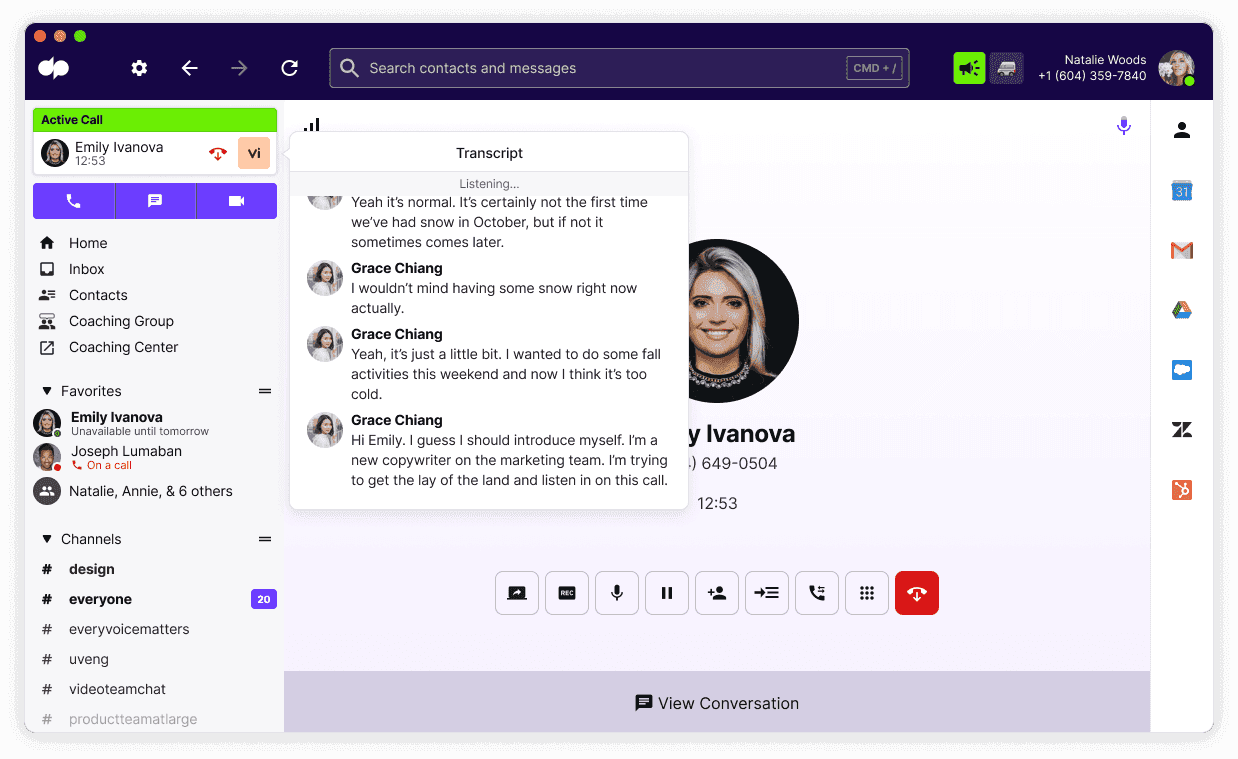
What it does: AI-native cloud contact center platform with real-time transcription, live coaching assist, and built-in AI analytics across voice and digital channels.
Best for: Mid-to-large B2C inside sales teams that want AI features built into the core product without heavy enterprise setup overhead.
Dialpad stands out because AI is built into the core product, rather than layered on later. Features like real-time transcription and live coaching assist are always running, so agents get help in the moment without needing to switch tools or wait for post-call feedback.
For teams that want to start using AI quickly, Dialpad is easy to get up and running and doesn’t require much setup. As operations grow more complex, especially in regulated environments or at larger scale, teams may find they need additional structure and capabilities beyond what’s built in.
Key features
Real-time transcription: Every call transcribed live during the conversation.
Live coaching assist: AI surfaces relevant talking points and information during calls.
AI analytics: Automated summaries, sentiment analysis, and performance reporting.
Omnichannel support: Voice, SMS, and digital channels in one interface.
CRM integrations: Salesforce, HubSpot, Zendesk, and others.
Pros and cons
✅ Pros | ❌ Cons |
AI features are native to the platform, not layered on top of legacy infrastructure | Less mature compliance infrastructure than Talkdesk or NICE CXone for regulated industries |
Real-time transcription and coaching assist work during live calls | Workforce management features are limited compared to Genesys |
Faster setup and lower admin overhead than enterprise alternatives | Enterprise-scale reliability hasn’t been proven at the same volume levels as NICE CXone |
What users say

Pro: “Delivers real-time call transcriptions and automated AI recaps that quickly capture key decisions and action items.” — Pawan D., G2

Con: “Call quality can suffer with unstable internet, and advanced features may require extra setup and time to master.” — Darshan K., G2
Pricing
Connect pricing starts at $15-$25 per user/month for Standard and Pro plans, with Enterprise pricing custom based on team size and advanced features.
Bottom line
With Dialpad, the focus is on keeping conversations easy to follow and act on, especially with AI handling notes and summaries in the background.
It fits naturally into remote and hybrid setups where flexibility matters. As usage grows, teams may need to spend more time working through limitations in customization or handling occasional reliability issues.
7. Avaya Experience Platform: best for enterprise-grade orchestration and flexibility
What it does: Enterprise contact center platform focused on unifying data, channels, and workflows with AI-driven orchestration across cloud, on-prem, and hybrid environments.
Best for: Large enterprises that need flexibility, deep integrations, and control over complex contact center infrastructure.
Avaya brings customer data, channels, and workflows into one system so teams can act on information in real time instead of pulling it from multiple tools. Its focus on orchestration helps connect systems and surface a clearer view of the full customer journey.
For enterprise teams with complex setups, that flexibility is useful. It supports cloud, on-prem, and hybrid environments, making it easier to adapt without replacing existing infrastructure, though setup and configuration can take time without dedicated resources.
Key features
AI-powered routing: Predictive and skills-based routing for high-volume operations.
Omnichannel engagement: Voice, digital, and messaging in a unified agent desktop.
Workforce engagement management: Forecasting, scheduling, and quality management.
Analytics and reporting: Performance dashboards and call insights.
Migration support: Transition paths for existing Avaya on-premise customers.
Pros and cons
✅ Pros | ❌ Cons |
Strong routing capabilities for complex, high-volume B2C operations | Cloud platform is still maturing compared to cloud-native competitors |
Established enterprise reliability and regulated industry experience | Some users report that legacy depth hasn’t fully translated to the cloud version |
Smooth migration path for existing Avaya customers | Pricing requires a custom quote with limited transparency upfront |
What users say
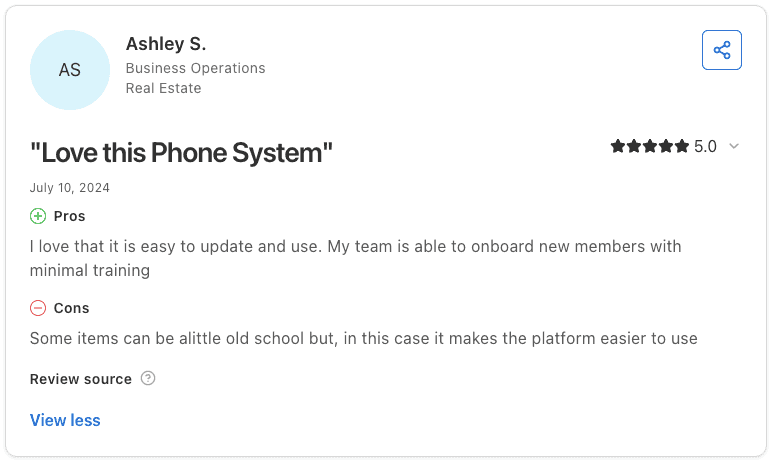
Pro: “Easy to update and use, with minimal training needed to onboard new team members.” — Ashley S., Capterra
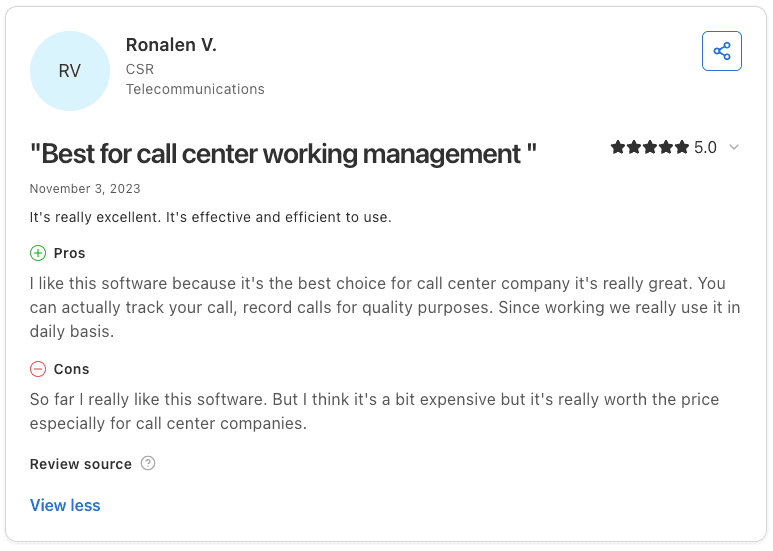
Con: “A bit expensive, even though it feels worth the price for call center use.” — Ronalen V., Capterra
Pricing
Avaya pricing is custom and quote-based, depending on deployment model, scale, and required enterprise features.
Bottom line
Avaya gives you a lot to work with, especially if you’re running a larger operation that needs flexibility and strong voice capabilities. It’s easy enough for agents to use once it’s set up, but getting there can take time.
Some users also mention older design elements and occasional technical hiccups like login or connection issues. Overall, it depends on how much complexity your team is ready to manage.
Which AI call center technology should you choose?
The right platform depends on how your team operates and what matters most in your setup, whether that’s scale, flexibility, compliance, or outbound volume.
Choose NICE CXone if you:
Run a large operation (100+ reps) with high call volume
Need strong QA, compliance tracking, and workforce management in one system
Operate in regulated industries like insurance or healthcare
Choose Genesys Cloud CX if you:
Handle both inbound and outbound across multiple channels
Need built-in workforce management with predictive routing
Want a flexible platform you can configure over time
Choose Five9 if you:
Run outbound-heavy campaigns and rely on dialing consistency
Have 50+ reps and can commit to longer-term contracts
Care most about dialer performance over UI or QA depth
Choose Talkdesk if you:
Work in regulated environments like Medicare or insurance
Want compliance workflows and call flows ready from day one
Prefer less setup and faster time to launch
Choose RingCentral Contact Center if you:
Need stable infrastructure across voice and digital channels
Rely heavily on CRM integrations across your workflow
Want a platform that scales reliably across large teams
Choose Dialpad Contact Center if you:
Want AI features like transcription and summaries built in from the start
Need a simple setup without heavy configuration
Run a mid-to-large team without complex compliance needs
Choose Avaya Experience Platform if you:
Already use Avaya and need a path to modernize or move to the cloud
Have complex routing or hybrid infrastructure requirements
Need flexibility across cloud, on-prem, or hybrid environments
Skip these platforms if you:
Have a small team (under ~20 reps)
Don’t rely heavily on voice as part of your workflow
Only need basic calling without routing, QA, or performance tracking
What these platforms still don’t solve
The best-rated AI call center technologies handle the infrastructure well. They route calls, record conversations, manage channels, and track compliance across the floor.
What they don’t address is how reps actually perform during the call. Top agents follow patterns that drive results, handling objections with more control, guiding the conversation clearly, and moving hesitant callers forward without losing momentum.
That knowledge already exists in your calls, but it stays locked in recordings instead of being turned into something the rest of the team can actually use.
Final verdict
For high-volume B2C teams, NICE CXone and Genesys Cloud CX are the most complete platforms. NICE CXone stands out for QA and compliance, while Genesys gives you more flexibility across channels.
Talkdesk is a strong option if you want compliance workflows ready from day one instead of building them yourself. If your focus is outbound, Five9 is still one of the most reliable dialers. Dialpad is a good fit for teams that want built-in AI without the overhead of a heavier system.
No matter which platform you choose, the infrastructure alone won’t improve how your reps perform on calls. The real gains come from understanding what your best reps do differently and making that consistent across the team, which is where Alpharun fits in.
How Alpharun fits into the best-rated AI call center technologies stack
Alpharun picks up where most platforms stop. It connects to your existing system, analyzes how your best reps actually handle conversations, and turns those patterns into coaching that shows up across your team in real time.
What Alpharun adds to your stack:
Coaching cadence: Coaching delivered immediately after every call instead of waiting for the next QA review
100% call coverage for QA: Every customer interaction analyzed across the entire call volume
Custom playbooks from your own data: Built from real calls, not templates
Compliance built into every score: Critical for regulated sales environments
Clear manager visibility: Focus on what’s improving across the team
Automated coaching delivery: Keeps feedback consistent without manual effort
SOC 2 Type 2 certified: Secure for sensitive customer data, with additional compliance standards like HIPAA and GDPR support
It works alongside whatever platform you already use, so you keep your infrastructure and add the layer that drives performance across every call, with most teams up and running in about a week.
Book a demo and see where your team is losing momentum before it shows up in revenue.
Frequently asked questions
What is the best AI call center technology for high-volume B2C sales teams?
The best AI call center technology for high-volume B2C sales teams depends on your needs. NICE CXone and Genesys Cloud CX work best for large, full-featured operations, while Five9 is ideal for outbound teams. Alpharun complements these platforms by improving rep performance through coaching.
How does AI work in a call center?
AI works in a call center by routing calls, analyzing conversations, and supporting agents in real time. It matches callers to the right reps, transcribes and analyzes calls, and surfaces insights to improve outcomes.
What’s the difference between a contact center platform and an AI coaching tool?
The main difference between a contact center platform and an AI coaching tool is their role. Platforms like Genesys or Five9 manage calls and infrastructure, while AI coaching tools like Alpharun analyze conversations and help reps improve performance.
How long does it take to set up AI call center software?
Setup time depends on the platform. Tools like Dialpad or Five9 can be ready in days or weeks, while enterprise platforms like NICE CXone or Genesys can take several weeks or longer. Alpharun typically integrates in about one week.
Do you need AI coaching if you already have a call center platform?
Yes, most teams still need AI coaching even with a call center platform. Platforms manage calls and data, but coaching tools turn that data into actionable guidance that improves how reps perform during conversations.


